
NEWS
Google Inherits Samsung Gallery Backup as OneDrive Exits
Samsung Gallery’s store listing points photo backup at Google Cloud as OneDrive exits on September 30, 2026, shifting the camera roll and the 15 GB quota.

Samsung’s Gallery Cloud Sync listing on the Galaxy Store now says it backs up photos and videos to Google Cloud. Direct sync with Microsoft OneDrive ends on September 30, 2026, and those cloud copies will drop out of Gallery even though the files stay in OneDrive.
Samsung has not confirmed the Google switch. The listing, a tester build on One UI 9.0, and Microsoft’s own cutoff pages already show who gains the camera roll and who is left holding a separate app.
The Galaxy Store Listing Names Google Cloud
The Gallery Cloud Sync listing in the Galaxy Store, version 1.6.09.31, is a system app for Galaxy phones and tablets on One UI 9.0. Samsung Electronics published it, and the copy talks about Google’s cloud, not Microsoft’s.
Gallery Cloud Sync is a service that safely backs up your precious memories to Google Cloud, allowing you to enjoy them seamlessly on all your devices at any time.
Samsung Electronics, Galaxy Store listing for Gallery Cloud Sync 1.6.09.31
A second line in that listing calls out “Google Cloud-based reliability” and “Google’s trusted cloud storage.” People who forced the build on already see a Google account picker, a storage meter, and a Sync with Google toggle, plus controls to clean up space and buy more. Installing the update does not, on most phones, surface those menus yet.
The listing never says “Google Photos.” The hidden screens do. That gap is why this still reads as a prep drop rather than a finished handoff.
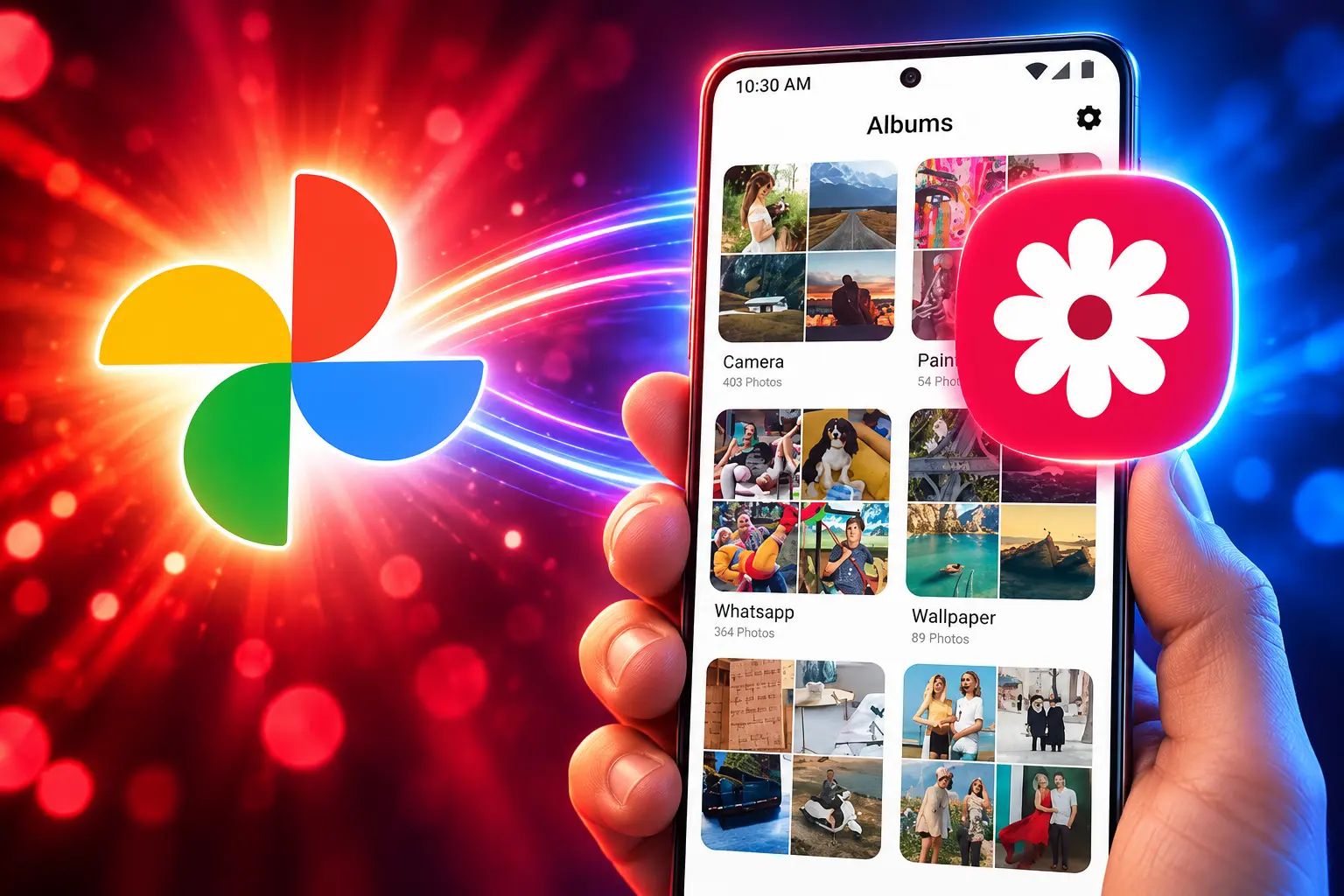
OneDrive Photos Leave Gallery on September 30
Microsoft’s support page, last updated May 14, 2026, is blunt. Starting September 30, 2026, Samsung Gallery will no longer sync directly with OneDrive. New users cannot link the two apps after that date. Anyone who already used the hookup has to turn on Camera backup in the OneDrive app if they want new shots to keep going to Microsoft.
Starting September 30, 2026, Samsung Gallery will no longer sync directly with OneDrive.
Microsoft Support, Changes to Samsung Gallery sync and OneDrive
After the cutoff, all photos stored in OneDrive disappear from the Gallery app. Microsoft says those files remain safe and unchanged, still reachable at onedrive.com and on any device with the OneDrive app. Samsung Cloud’s own notice says the same thing in harder language: the pictures disappear from Gallery unless you take action.
The OneDrive toggle has already vanished from some Gallery builds since May, so plenty of people who never switched it on cannot switch it on now. People who already had sync running can keep using it until the deadline.
THE GALLERY CLOUD HANDOFF
- After Samsung Cloud photo sync ended: OneDrive became Gallery’s built-in cloud, with originals in Microsoft’s storage and Gallery metadata on Samsung’s servers.
- May 14, 2026: Microsoft publishes the September 30 cutoff and the Camera backup workaround.
- May 2026: The OneDrive option starts disappearing from newer Gallery builds for people who had never enabled it.
- September 15, 2026: Gallery Cloud Sync 1.6.09.31 appears on the Galaxy Store naming Google Cloud.
- September 30, 2026: Direct Gallery-to-OneDrive sync ends and OneDrive copies vanish from Gallery.
The other Microsoft pieces on Galaxy phones are a different contract. Microsoft’s cutoff pages still tell people to install OneDrive and keep paying for space. They do not cancel the OneDrive Android app or Microsoft 365 on Samsung devices.
What Happens to Photos Already in OneDrive?
Nothing is deleted on Microsoft’s side. The break is the door in Gallery, not the locker in OneDrive. Cloud-only shots that you never downloaded will simply stop showing in Gallery, which is how a backup you thought lived “in Gallery” turns into a backup you can only see in another app.
If you want those pictures back inside Gallery, download the originals to the phone before September 30, 2026, using Download Originals or the OneDrive app. If you want new camera shots to keep landing in OneDrive, Microsoft’s steps are the ones that matter, and they only work if you stay under your OneDrive quota.
CAMERA BACKUP IN THE ONEDRIVE APP
- Open OneDrive: Launch the OneDrive app on the Galaxy phone.
- Sign in: Use the Microsoft account that held the Gallery sync; it may not be the Samsung account.
- Account profile: Tap the account profile at the top left.
- Camera backup: Select Camera backup.
- Correct account: Confirm the right Microsoft account is selected.
- Turn it on: Switch Camera backup on.
- Permissions: Grant access to photos and videos if the phone asks.
That path is one-way camera upload, not the old Gallery link. Microsoft also warns that bi-directional sync deletes on both sides: a delete in Gallery or in the Samsung Gallery folder on OneDrive moves the file to the recycle bin and off every synced device. Work or school OneDrive accounts were never in this hookup. Files larger than 4 GB never auto-uploaded; they had to go up by hand.
Microsoft 365 Users Lose the Gallery Front Door
The people who lose the most convenience are the ones who treated Gallery as a OneDrive photo client. They never had to open Microsoft’s app. Albums, edits, and deletes stayed in the Samsung interface while the bytes sat in a Microsoft account they already paid for.
After September 30, 2026, that front door closes. The library is still in OneDrive. Getting at it means the OneDrive app, the website, or a Windows PC. New photos only follow if Camera backup is on. Google, if the hidden Gallery switch goes live, gets the in-app path Samsung spent years giving Microsoft.
That is the trade that has people split. Combining backup with Gallery kills the two-app shuffle that Galaxy owners have run for years, one app for shooting and one for cloud. The pushback is just as plain: a chunk of those owners used Gallery so they would not live in Google Photos, and another chunk wanted Samsung to bring back its own cloud instead of handing the roll to Google.
WHERE NEW PHOTOS CAN GO AFTER THE CUTOFF
| Path | Where new photos land | Still inside Gallery | Storage clock |
|---|---|---|---|
| OneDrive Camera backup | OneDrive | No, after September 30, 2026 | Your Microsoft quota |
| Gallery Sync with Google, if it appears | Google’s cloud, and testers see Photos controls | Yes, once the toggle is live | Google account quota |
| Phone only | On-device storage | Yes, for files on the phone | The phone’s free space |
There is no announced button that copies a years-long OneDrive Gallery library into Google. Anyone who wants both clouds will run two backups, pay two bills, or download and re-upload by hand.
Google’s 15 GB Cap Becomes the New Ceiling
Google’s account help is not vague about the size of the box. Each Google Account includes 15 GB of storage shared across Gmail, Google Drive, and Google Photos. Original-quality shots count. Storage saver shots taken after June 1, 2021 count too. Gmail mail and Drive files sit in the same pile.
GOOGLE ACCOUNT STORAGE, IF GALLERY POINTS THERE
- Free pool: 15 GB shared by Gmail, Drive, and Photos, not a photo-only bucket.
- When it fills: New Drive uploads stop, Photos backup stops, and Gmail can stop sending and receiving.
- Long overage: Google says it might delete content across Gmail, Drive, and Photos if an account stays over quota for two years.
- Paid extra: Google One adds space on top of that 15 GB; the Gallery screens testers opened already include a get-more-storage control.
A Microsoft 365 subscriber who used Gallery as a window onto a large OneDrive library is moving, if they follow Samsung’s new listing, from a quota they already bought to a 15 GB pool that also holds years of mail. Free OneDrive is smaller than that Google pool, so the swap is not a loss for everyone. It is a loss for the people who picked Samsung’s Microsoft deal because the photo library was supposed to live next to Word and Windows, not next to Gmail.
Other Android brands already did this union. OnePlus, Xiaomi, OPPO, and Realme wired Google Photos into their own gallery apps in 2024. Samsung was the holdout, because it had OneDrive. The holdout is ending.
Samsung Already Left Its Own Photo Cloud
Gallery has now been told to trust three clouds in a row. Samsung Cloud once held Gallery sync and Drive. That photo service was wound down and OneDrive took the originals, with Samsung keeping album and story metadata on its own servers. Microsoft’s Gallery pages still describe that split.
Earlier this year, some Galaxy write-ups still expected Samsung to put its own cloud back under Gallery when OneDrive left. The September 15 listing does not do that. It names Google. Replies under the tester screenshots immediately asked whether a revived Samsung Cloud had been cancelled. The store copy is the answer that exists in public, and it is Google’s infrastructure, not Samsung’s.
Samsung has already put Google Photos on newer TVs launched in 2025 or later, so the phone listing is not the first time the two companies have shared a photo pipe. It is the first time Gallery, the app people actually shoot into, is being aimed that way as OneDrive is pulled out.
Sync With Google Is Still Hidden on Most Phones
SamMobile’s own One UI 9.0 phones did not show the Google menus after the update. Other testers only saw them after forcing the feature on. Until Samsung says otherwise, the Google path is a listing plus a hidden switch, not a setting you can count on this afternoon.
WHAT WE KNOW
- The cutoff: Direct Gallery sync with OneDrive ends on September 30, 2026, and OneDrive copies leave Gallery.
- The files: Microsoft and Samsung both say existing OneDrive photos are not deleted.
- The listing: Gallery Cloud Sync 1.6.09.31 names Google Cloud and is published by Samsung Electronics.
- The leftover door: Camera backup in the OneDrive app still works if you set it up and have space.
WHAT IS UNCONFIRMED
- Samsung’s own word: No newsroom note has confirmed Google as the replacement.
- Two-way delete: OneDrive’s old Gallery link deleted on both sides; the Google build has not been shown to match that.
- A move tool: There is no announced way to pour an existing OneDrive Gallery library into Google.
- Go-live date: Some testers expect the Google toggle after the OneDrive cutoff; that date is not on the listing.
Anyone who still wants those OneDrive pictures inside Gallery has to copy the originals back to the phone before September 30, 2026. The OneDrive app will keep the cloud copies either way, and the Google toggle, when Samsung actually shows it, will start a new pile rather than finish the old one.

The Court Revisits the Climate Nuisance Door It Left Open

ChatGPT Now Compiles Live Interfaces With GPT-6

A Tanker Attack Moves the War Into Qatar’s Waters

Personio Buys Circula to Own the DATEV Channel

Bluesky Files for .bsky and Enters the Registry Queue

Microsoft’s 96% Cyber Score Sits at 86.3% on the Board

Musk’s $914 Billion Lead Is a Public SpaceX Bet

Free Live Sports Streaming in 2026: What to Watch Without Cable

The Odyssey’s IMAX Film Run Hit a 41-Theater Limit

Endgame Encore’s $86 Million Trial for Infinity Vision
-
 NEWS3 months ago
Microsoft’s 96% Cyber Score Sits at 86.3% on the Board
-
 BUSINESS5 months ago
Musk’s $914 Billion Lead Is a Public SpaceX Bet
-
 SPORTS4 months ago
Free Live Sports Streaming in 2026: What to Watch Without Cable
-
 ENTERTAINMENT3 months ago
The Odyssey’s IMAX Film Run Hit a 41-Theater Limit
-
 ENTERTAINMENT4 months ago
Endgame Encore’s $86 Million Trial for Infinity Vision
-

 ENTERTAINMENT2 years ago
Andrew Garfield’s Spider-Man Films Are No Longer Free
-

 NEWS5 months ago
Singapore’s 3×3 and Surfing Debuts Miss the Medal Stand
-

 NEWS1 month ago
An AI Lung Drug Shifted Biological Age Clocks in Patients