
TECHNOLOGY
E Ink vs iPad Note Taking: How to Choose the Right Tablet
E Ink vs iPad Note Taking depends on the job. Reflective screens tracked paper on eye fatigue after a long read, while an iPad fits color, video, and apps.

You want a page you can write on by hand and still find next month. E Ink vs iPad note taking is that choice, and the right pick depends on what the note has to survive. An E Ink tablet is a reflective page with a pen, made for handwriting, reading, and a screen that does not invite a second task. An iPad is a full computer behind glass, with a pencil sold on its own, made for notes that also need color, sound, photos, and other apps.
Long handwriting and rereading point toward E Ink. A note that also carries color, a video, or another app points toward the iPad. A two-minute scribble in a store will not show which one you can stand once the hour is up. The sections below sort the jobs, the light off the screen, the pen, where the file goes, and what you pay.
Which Note Taking Job Fits E Ink or an iPad?
Match the row to the hour you actually spend, not the hour you hope to spend after the box arrives.
THE JOB IN FRONT OF YOU
| The hour you need | Better fit | What decides it |
|---|---|---|
| Longhand notes you reread on the same device | E Ink | Reflective page, few other apps, a charge that can stretch for days |
| Meeting pages with no slides and no chat | E Ink | The software stays a notebook instead of a home screen |
| PDFs and articles you mark in the margin | Either | E Ink if the reading is long; iPad if you need heavy markup tools |
| A lecture that is a video or a full-color slide | iPad | Fast refresh and real color |
| Diagrams, photos, or a sketch in true color | iPad | A backlit color panel, not a limited E Ink palette |
| Notes you must search months later | iPad, unless you already search on the E Ink | Search helps only if you open that box again |
| Reading in a dark room beside the notes | E Ink with a front light, dimmed | A front light washes the page; it is not a backlight |
| A five-second scrap when you are away from the desk | A pocket notepad | No charge, no login, already in the bag |
A mixed week is normal, and then the machine you already carry wins the tie. Recorded lectures with colored slides pull toward the iPad, because the video has to play. Meeting notes with no slides pull the other way, because an iPad home screen is a pile of other jobs. When both hours are real, keep the iPad for the mixed block and add a paper tablet only for the quiet one.
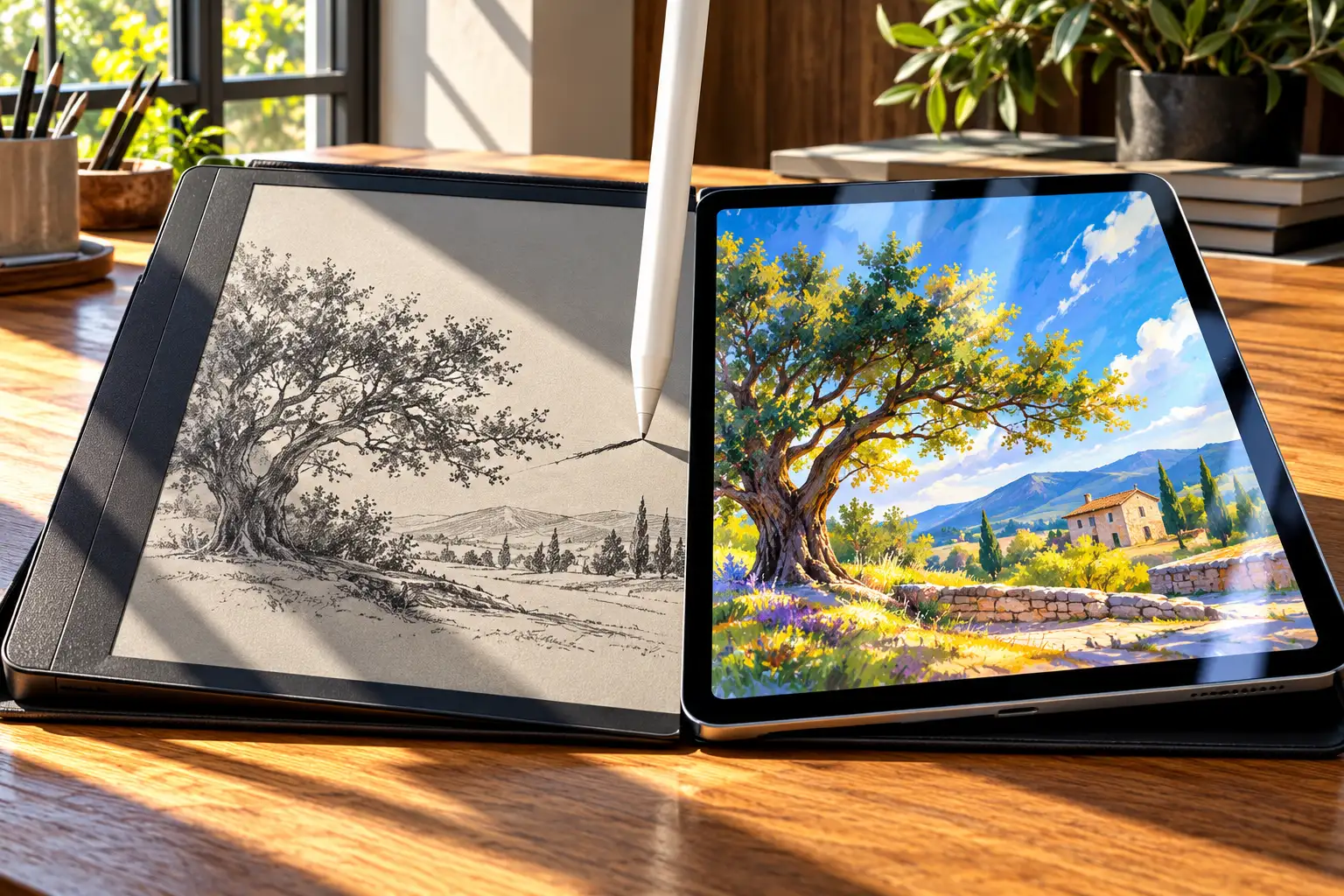
What an E Ink Page and an iPad Screen Show
E Ink is a reflective screen. Dark and light particles form the letters, the page changes when you write or turn, and then it holds the picture without a lamp behind it. You see it by the light in the room, the way you see paper. Some writing tablets, including the Kindle Paperwhite used in the reading research and the reMarkable Paper Pro, add a front light that shines across the surface in a dark room. That lamp sits in front of the page. It is not the panel glowing through the ink.
The iPad most people buy for notes is the iPad (A16), an 11-inch class tablet with a Liquid Retina display. Apple’s tech specs describe an LED-backlit IPS panel rated at 500 nits at the top of the slider, with full color and a fast enough refresh for video. That 500-nit figure is the panel’s top brightness, not the light a dimmed page throws at your face. The base model has no nano-texture glass from Apple, so the surface you write on is glossy unless you add a film. Wi-Fi models weigh 1.05 pounds (477 grams).
Color E Ink is a third thing, not a dim iPad. The Paper Pro uses an 11.8-inch color panel at 229 pixels per inch and can render 20,000 colors, which is enough to separate a few ink colors on a note. It is not the range or the punch of a photo on the iPad. If the diagram only makes sense in full color, the iPad is the page.
What Changes in E Ink vs iPad Note Taking After an Hour?
Comfort on these screens shows up once you have been on the page for a while. In a 2013 study of prolonged reading, adults with no e-reader habit read the same novel on a backlit Kindle Fire HD, a Kindle Paperwhite, and paper, and the average session ran 73 minutes.
Fatigue ratings, taken before and after, rose after the LCD session and did not show a clear rise after the Paperwhite or the paper book. Blinks were fewer on the LCD, while the Paperwhite and the paper book behaved like each other. A flicker test dropped after reading on every support and did not pick out the LCD. A short comprehension check came back clean, so the gap was not from skipping the backlit pages.
LIGHT OFF THE PAGE IN THAT LAB
| Support | White at 60 cm | Fatigue ratings | Blinks |
|---|---|---|---|
| Kindle Fire HD (LCD) | 27.77 cd/m2 | Rose after reading | Fewer than the other two |
| Kindle Paperwhite (E Ink) | 11.27 cd/m2 | No clear rise | Similar to paper |
| Paper book | 16.42 cd/m2 | No clear rise | Similar to E Ink |
Those three readings are the light coming off the page in that room, measured at eye distance, not a modern tablet’s maximum brightness. The authors tie the split to the backlight: more light from the LCD, a smaller pupil, fewer blinks, and higher fatigue scores. The LCD in the test was already turned down, with white on the panel set at 20 cd/m2 before the room’s own light was counted.
That is not a medical ranking of the iPad on your desk. The task was silent reading, not handwriting, on 2013 hardware, in a group of 12 adults. Earlier comparisons discussed in that paper did not always find a fatigue gap. What you can use is narrower. A reflective page can track paper on tiredness during a long read, a backlight can cut blinks and raise fatigue scores even when it is not at full blast, and a fair home test is a full sitting rather than a lap around the apps.
How Writing on E Ink Differs From iPad Glass
The pen is the other half of that hour. On a paper tablet the surface has tooth, so the tip drags a little, closer to a fineliner than to a finger on a window. reMarkable publishes 12 milliseconds of writing latency for the Paper Pro, along with 4,096 levels of pressure, on a textured cover over the color panel. Fast sketching can still feel a step behind a high-refresh glass screen. For ordinary notes, that gap is small next to the drag.
The pencil that pairs with the base iPad is the USB-C model. Apple describes low latency, tilt, and precision for notes, sketches, and markup, and the pencil charges with a USB-C cable, then sits on the iPad’s edge for storage. Apple does not publish a millisecond next to that 12, so a forum figure is not a spec you can shop with. The difference you will notice in the hand is the glass. A steady line can skate, and a matte film is the usual patch for drag.
TRY THE PEN FOR A FULL PAGE
- On E Ink: Write a real page of your notes, then read it back under the lamp you actually use at night.
- On the iPad: Write the same page on bare glass, then again with a matte film if the tip skates.
- The tell: Hand comfort and whether you want to keep going decide it, not the first pretty line.
A film changes the drag and leaves the backlight where it was. If quick sketches look late on E Ink, the iPad’s refresh is the reason to pay for glass. reMarkable’s own short clip shows the quiet version of a meeting page, an outline already on the tablet and handwriting under each item.
Where Your Notes Have to Go Next
A page you cannot find later is a diary, not a system. On an iPad, note apps can search handwriting, tuck an audio clip beside a sketch, drop in a photo, and sync to a phone you already check. On a reMarkable, the software is the notebook itself, not an app store, which is the point when you want fewer exits and the limit when the note has to become something else.
Some other E Ink tablets run Android, so you can install more apps, and the screen still refreshes like paper. Video and fast scrolling stay poor company for that panel. Owners who like the battery still describe the same snag in practice: the writing feels right, and the filing feels thin. The patch is a place you already open.
PICK THE LANDING SPOT FIRST
- Search: Name the box you will type into three months from now, on the phone or the computer, and confirm the tablet can put a file there.
- Handwriting: Check that your own script converts or stays searchable in the language you write, on a page of real notes rather than a demo sentence.
- Sharing: Export one marked-up PDF to the laptop you use for the finished work before you trust the brand’s cloud.
People trying to remember books often end up with a plain numbered list they reopen, which works on paper, on E Ink, or in a phone note. The list does the remembering. The tablet does not, and buying the other one does not create the habit.
What You Pay and How Long a Charge Lasts
As of November 2026, shelf price and note-taking price are not the same number. The Wi-Fi iPad from $449 does not include a pencil. You add the Apple Pencil (USB-C) for $79 if you want to write on that base model. A Pencil Pro, for Air and Pro iPads, is a different and higher line, so a fancier iPad is a different budget.
| Piece | What Apple lists |
|---|---|
| iPad (A16), Wi-Fi | From $449 |
| Apple Pencil (USB-C) | $79, sold separately |
| Base iPad plus that pencil | $528 before a case or a film |
Battery claims need the same kind of reading. Apple rates the iPad (A16) at up to 10 hours of surfing the web on Wi-Fi or of watching video, from a 28.93 watt-hour battery. That is a day of mixed use, not a week of notes. The Paper Pro is rated at up to two weeks from a 5,030 mAh pack, and reMarkable bases that figure on about one hour of daily use for reading and notes, with the reading light left out of the estimate. A day of classes with the front light on will be shorter than two weeks. Frequent Wi-Fi sync shortens it too.
Weight rarely breaks the tie on these two. The Wi-Fi iPad is 1.05 pounds, and the Paper Pro is 1.16 pounds (525 grams) at 5.1 mm thick, with 64 GB of storage on the reMarkable spec sheet. The base iPad is the slightly lighter slab. A smaller paper tablet is the one that changes what you feel in a bag, and you should read that model’s own weight rather than assume every E Ink device is a light notebook.
Mistakes That Send You to the Wrong Note Tablet
Most regrets come from testing the wrong hour, or from treating a rating as a promise.
CHECKS BEFORE YOU PAY
- The store demo: Two minutes of doodling will not show the fatigue split that appeared around a 73-minute read, so borrow, return, or write a full session at home.
- The focus purchase: An iPad bought to escape distraction still has mail, chat, and video until you remove them from the first screen.
- The color hope: A color E Ink page can tint a highlight, and it still will not carry a lecture slide or a photo the way the iPad does.
- The missing pencil: The $449 iPad is not a note kit until the pencil is in the total.
- The battery headline: Two weeks assumes a short daily session and no front light, and 10 hours assumes web or video, not your syllabus.
- The Android E Ink: More apps do not turn a paper-speed screen into an iPad for video.
If your eyes already ache, water, or stay blurry on either screen, a new tablet is the wrong first move. An optometrist or ophthalmologist can check for dry eye and a glasses problem that no display setting will solve. Dim the backlight you already own, add light to the room for a reflective page, and look away on a timer while you wait for that visit.
Frequently Asked Questions
Is E Ink Better for Your Eyes Than an iPad?
For a long read, a reflective page is the kinder screen, and fatigue ratings in the hour-long test rose after the backlight only. Liking did not follow that split: readers preferred the paper book, and the LCD and the E Ink reader did not separate on preference. If your eyes ache, water, or stay blurry, book an eye exam instead of treating a new tablet as a fix.
Can an E Ink Tablet Replace an iPad for Class?
It can cover the notebook and the PDFs you load before you sit down. It cannot cover a video lecture, a full-color slide, or a browser you need in the middle of a sentence. Keep the iPad for that half of class and let E Ink be the paper half.
Does a Matte Film Make iPad Writing Feel Like E Ink?
A matte film adds drag, which is the part of paper people miss on glass, and it leaves the backlight untouched. The iPad (A16) has no nano-texture option from Apple, so that drag is a sticker you add, not a different display. You also still have every other app one swipe away.
What Should You Do With Notes You Need in Three Months?
Put them where you already look. A numbered list in one notebook, a highlight file, or a search box you open on your phone will beat a beautiful page you never reopen. Buying the other tablet does not create that habit, and a calm E Ink notebook can still be the wrong file cabinet.
Is a Paper Notepad Still Worth Keeping?
Yes, for the scrap that shows up when the tablet is in another room. Neither device is as present as a pocket notebook, and readers in the lab comparison still preferred paper even where E Ink matched it on fatigue. Use paper for the short idea and the tablet for the hour you meant to protect.
Buy the page you can stay with for an hour and still find next month. When that hour is handwriting and reading, E Ink stays closer to paper on fatigue. When that hour keeps borrowing color, video, and other apps, pay for the iPad and the pencil, and dim the backlight once the reading runs long.
Disclaimer: This guide is general information about choosing a note-taking tablet, and it is not medical advice or a diagnosis of eye strain. It does not replace an eye-care visit, so see a qualified optometrist or ophthalmologist before you treat pain, blurred vision, or headaches by buying a device. Comfort varies with the person, the brightness, and how long you look. Prices and specs reflect the maker pages reviewed in November 2026 and can change.

The Court Revisits the Climate Nuisance Door It Left Open

ChatGPT Now Compiles Live Interfaces With GPT-6

A Tanker Attack Moves the War Into Qatar’s Waters

Personio Buys Circula to Own the DATEV Channel

Bluesky Files for .bsky and Enters the Registry Queue

Microsoft’s 96% Cyber Score Sits at 86.3% on the Board

Musk’s $914 Billion Lead Is a Public SpaceX Bet

Skrilla’s 6-7 Became Word of the Year by Meaning Nothing

Free Live Sports Streaming Without Cable: An Antenna and App Guide

Xbox Puts 15-Hour Caps on Game Pass Cloud Play
-
 NEWS4 months ago
Microsoft’s 96% Cyber Score Sits at 86.3% on the Board
-
 BUSINESS6 months ago
Musk’s $914 Billion Lead Is a Public SpaceX Bet
-
 ENTERTAINMENT1 year ago
Skrilla’s 6-7 Became Word of the Year by Meaning Nothing
-
 SPORTS4 months ago
Free Live Sports Streaming Without Cable: An Antenna and App Guide
-
 GAMING2 months ago
Xbox Puts 15-Hour Caps on Game Pass Cloud Play
-

 ENTERTAINMENT5 months ago
Endgame Encore’s $86 Million Trial for Infinity Vision
-

 BUSINESS2 years ago
Retail Banking vs Commercial Banking: Who Each Side Serves
-
 ENTERTAINMENT2 years ago
Andrew Garfield’s Spider-Man Films Are No Longer Free