
TECHNOLOGY
Google Pixel Exclusive Features Worth Buying the Phone For
Google Pixel exclusive features worth buying finish on the phone: Call Screen, Now Playing, and VPN. Video Boost is a Pro upload with a 10-minute cap.

You want a phone for the features other Android phones do not include. A clean install of Android and a strong camera are easy to find elsewhere. The case for a Pixel is the software Google keeps on its own phones.
Call Screen, Now Playing, and VPN by Google finish their work on the phone. Video Boost, the Pro video mode, waits until Google Photos uploads the clip. This guide maps the Google Pixel exclusive features by the phone you need, the setting you must change, and the country you are in.
What a Pixel Still Keeps to Itself?
Some tools that made Pixel phones famous later showed up in Google Photos for other phones. Magic Eraser is the clear example, so a buying list that treats every camera trick as exclusive will point you at the wrong model. The rows below are the ones Google still documents as part of a Pixel, with a floor on the model and a catch to check before you pay.
Gemini also runs on other Android phones, which makes the assistant a weak reason to switch on its own. The stronger case is a tool you will touch on a normal day: a screened call, a song name on the lock screen, a VPN with no separate app, or a Pro video file you are willing to wait for.
| Feature | Where the work happens | Phone you need | The catch |
|---|---|---|---|
| Call Screen | On the phone | Pixel phones | Automatic screening is for the US; other listed countries are manual, and a local SIM is required |
| Now Playing | On the phone | Pixel phones | The song list has to download once over Wi-Fi |
| VPN by Google | On the phone, through Google | Pixel 7 and later, and the Pixel Tablet | No extra fee only where Google offers it, and the account has to be eligible |
| Video Boost | In the cloud, through Google Photos | Pro phones from the Pixel 8 Pro through the Pixel 11 Pro Fold | Backup on, Locked Folder and Storage Saver off, 10 minutes max |
| Best Take and Audio Magic Eraser | In Google Photos after the shot | Pixel 8 and later | You need a burst of similar frames, or a video whose extra sound you want lowered |
| Add Me | On the camera, from two shots | Pixel 9 and later | The two frames have to line up |
Use that table when you compare two phones. A feature in the first three rows does not ask you to wait on an upload. Video Boost does, and it stays on the Pro line.
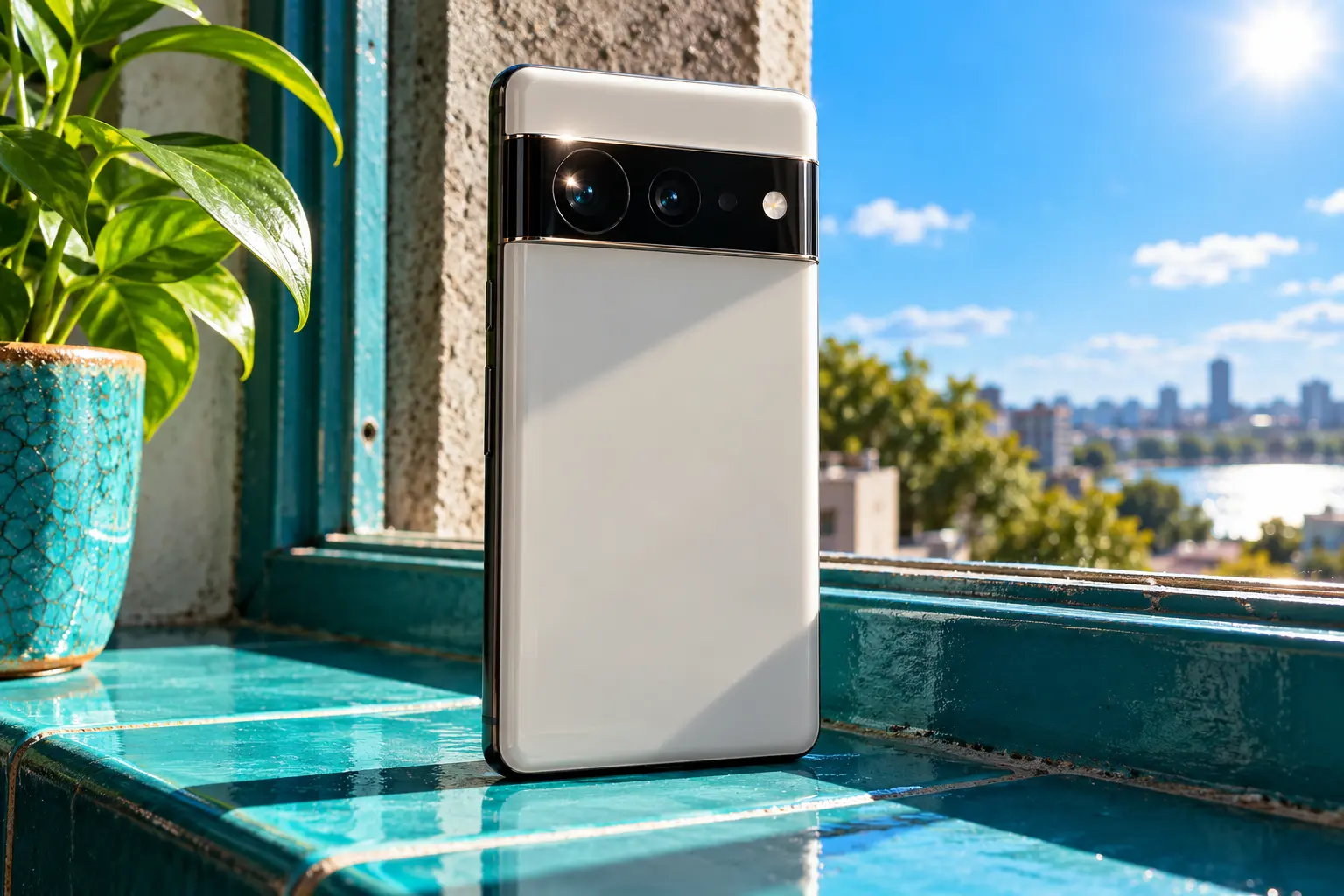
Call Screen, Now Playing, and VPN by Google
These are the features that earn a Pixel on a weekday, because each one is finished before you put the phone down. All three run on ordinary Pixel phones. A Pro camera is a separate purchase.
How to Turn on Call Screen
Call Screen answers an unknown caller, asks who it is and why they are calling, and shows you the reply before you pick up. It runs on the phone and does not use Wi-Fi or mobile data for that exchange. Google’s help page lists automatic screening for all Pixel phones in the US, and manual screening in Australia, Canada, France, Germany, Ireland, Italy, Japan, Spain, the UK, and the US. Manual screening needs a SIM from one of those countries, and selected non-Pixel Android phones in the US and Canada can use the manual mode too.
- Open the Phone app.
- Tap More, then Settings, then Spam and Call Screen, or Call Screen.
- Tap Call Screen.
- On a Pixel 7 or later, turn on Automatically screen calls and set the protection level to Spam, Possibly faked numbers, or First-time callers.
- On a Pixel 6 or earlier, open Unknown call settings and pick the kinds of callers you want screened.
Check your country against that list before you count on Call Screen. If your country is not on it, the camera tools have to carry the purchase on their own.
How to Turn on Now Playing
Now Playing reads music around you and puts the song name on the lock screen, using a song list stored on the phone. You don’t open an app, and a song already in that list does not need a signal. On Pixel 4 and later, the feature gets better at songs that are common in your region without a raw recording leaving the phone.
NOW PLAYING ON THE LOCK SCREEN
- The switch: Open Settings, tap Sound and vibration, then Now Playing, and turn on Identify songs playing nearby.
- The download: Leave the phone charged and on Wi-Fi for a few minutes so the song list can download.
- The match: Once that list is on the phone, nearby music can show on the lock screen with no tap from you.
The first download is the step people miss. Without it, the lock screen stays blank even though the switch looks on.
Who Can Use VPN by Google?
VPN by Google is the built-in VPN on Pixel 7 and later phones and the Pixel Tablet, with no extra fee in countries where Google offers it. You sign in with a personal Google Account, or with a Workspace account when an admin has not blocked the VPN.
VPN BY GOOGLE AT A GLANCE
- The phones: Pixel 7 and later, plus the Pixel Tablet.
- The price: No separate subscription in countries where the VPN is offered.
- The account: A personal Google Account works, and a Workspace account works unless an admin turns it off.
- The path: Open Settings, tap Network and internet, then VPN, then VPN by Google, and confirm Use VPN.
Dictation sits in the same everyday set. In Gboard, open settings, tap Voice typing, and turn on Advanced voice typing features. The Recorder app is the meeting tool on the same phones: it records audio and transcribes what was said, with speakers split into sections. Neither one needs the Pro camera.
How to Use Video Boost on a Pixel Pro
Video Boost is the mode that separates a Pro from a standard Pixel, and it is also the mode with the most conditions. Google’s page on how Video Boost records and processes names the phones: Pixel 8 Pro, Pixel 9 Pro, Pixel 9 Pro XL, Pixel 9 Pro Fold, Pixel 10 Pro, Pixel 10 Pro XL, Pixel 10 Pro Fold, Pixel 11 Pro, Pixel 11 Pro XL, and Pixel 11 Pro Fold. A Pixel 8, Pixel 9, Pixel 10, or Pixel 11 that is not a Pro does not get it.
What Does Video Boost Need Before You Record?
The phone saves a large temporary file, sends a copy to Google Photos, and replaces the first playback with the boosted file when processing ends. The Tensor chip handles a pass on the phone, then the cloud pass reduces grain, steadies the frame, and adjusts light and color. Google describes that cloud pass as a few minutes or a few hours, depending on the length of the clip.
TURN THESE ON BEFORE VIDEO BOOST
- Backup: Google Photos backup has to be turned on for your Google Account.
- The blockers: Locked Folder and Storage Saver have to be turned off.
- The network: If backup is set to Wi-Fi only, Video Boost will not upload or download over mobile data.
- The file: The temporary file uses space on the phone, not your Google Photos cloud quota, and the phone deletes it after the boosted video is ready.
Turn Storage Saver off before you record. If that backup quality stays on, both the first file and the boosted file stay at 1080p. Leave the temporary file where the phone stored it. If you move it, the phone may not delete it for you.
How to Record With Video Boost
- Open the Camera app and switch to Video if you are in Photo.
- Tap Video settings at the bottom left, or swipe up.
- Turn on Video Boost. A small icon in the upper left of the viewfinder confirms it.
- Set the frame rate to 24, 30, or 60. On a Pixel 9 Pro or newer Pro phone, you can also turn on 8K.
- Zoom from 0.5x out to 20x, then record. Low storage stops the take early.
Google’s camera help channel shows that switch in the video settings, next to the other video modes.
The file you can watch right away is not the boosted one. It plays at 1080p, 30 frames a second, in SDR, from the preview in the Camera app or from Google Photos. The boosted copy shows up in Google Photos with its own icon after the upload finishes. Share from Google Photos, or save that finished file to the phone before a chat app attaches it, because the chat app can grab the local preview instead.
| Setting | What the help page allows |
|---|---|
| Length | 10 minutes, less if the phone is low on storage |
| Zoom | 0.5x to 20x |
| Frame rate | 24, 30, or 60 fps; at 60 fps the rate can fall with the scene and with camera movement |
| 8K | Up to 30 fps on a Pixel 9 Pro or newer Pro phone; not on the Pixel 8 Pro; the Pixel 9 Pro Fold also skips 8K and 60 fps |
| First playback | 1080p, 30 fps, SDR |
| Storage saver left on | Both the first file and the boosted file stay at 1080p |
| Still from an 8K clip | A 33-megapixel photo |
Google’s store note on 8K on a Pixel 9 Pro or newer is the same cutoff, and that note ties Video Boost to Night Sight Video and to Super Res Zoom Video when the subject is far away. Shoot 8K when you want a still from the clip as well as the video.
Pro Stable Video on the Pixel 11 Pro
Pro Stable Video adds smoother stabilization on top of Video Boost, and only the Pixel 11 Pro and Pixel 11 Pro XL have it. The Pixel 11 Pro Fold is on the Video Boost list and is not on this shorter list. The switch is on by default, and it starts on some shaky scenes that are also brightly lit.
WHERE THE SWITCH SITS
- Open the Camera app.
- At the bottom left, tap Settings, then More.
- Scroll to Video, then turn Pro Stable Video on or off.
Leave it on for walks, bikes, and crowded rooms in daylight. Turn it off when you want the camera movement to stay in the shot, because the help page ties the extra steadying to those bright, shaky scenes rather than to every recording.
Photo Tools and the Pixel They Started On
Photo tools are why many people think they need a Pixel, and the model year matters more than the feature name. The launch note for Best Take on the Pixel 8 puts that tool, plus Audio Magic Eraser, on the Pixel 8 and Pixel 8 Pro from October 12, 2023.
PHOTO TOOLS BY THE PHONE THAT GOT THEM
- Best Take: It blends a burst of similar group photos so you can keep one person’s better expression, and you can pick a different face from the burst if the automatic choice is wrong.
- Audio Magic Eraser: It lowers extra noise such as wind or a crowd on Pixel 8 and later phones, and a later Pixel Drop lets you turn separate sounds up or down so one voice can sit above the room.
- Magic Eraser: You circle an object and the edit fills the gap. It started on Pixel phones, and Google later offered it in Google Photos on other phones, so open Photos on the phone you already own before you treat it as a reason to switch.
- Add Me: On the Pixel 9 and later, including the Pixel 9 Pro Fold, two lined-up shots become one group photo that includes the person who was holding the phone.
Best Take needs similar frames taken close together, so a loose burst gives it nothing to blend. Add Me needs the second shot to match the first. Those are framing problems, not a missing download.
How Long Do Pixel Software Updates Last?
A feature you like lasts only as long as the software window on that model. Google’s page on how long Pixel phones get updates counts from the day that model first went on sale in the US Google Store, not from the day you buy a used one.
Pixel 8 and later phones, including every a-series model from the Pixel 8a onward and the Pro Folds, get 7 years of operating system updates and security updates. That window can also include feature updates called Pixel Drops, which is how finer audio controls arrived after the phones were already on sale.
Pixel 6, Pixel 6 Pro, Pixel 6a, Pixel 7, Pixel 7 Pro, Pixel 7a, and the first Pixel Fold get 5 years on the same clock, for both the operating system and security updates. Pixel 5a and every earlier Pixel no longer receive Android version updates or security updates.
The seven-year phones are not equal for video. An a-series Pixel inside that window still has no Video Boost, because the help page keeps that mode on the Pro models.
Which Pixel Matches the Features You Want?
Start from the job, not from the newest Pro. Screened calls, song names on the lock screen, Recorder, advanced voice typing, and VPN by Google are all available without a Pro camera, as long as the phone meets the row in the table and, for Call Screen, you are in a supported country with the right SIM.
Video Boost is the line that forces a Pro, from the Pixel 8 Pro through the Pixel 11 Pro Fold, with Pro Stable Video only on the Pixel 11 Pro and Pixel 11 Pro XL. The wait is what makes a second Pro hard to justify when the phone you already own records the clip. Check three things before you spend the difference: Google Photos backup is on, Storage Saver is off, and the phone can sit on Wi-Fi long enough for the upload.
Outside the United States, read the Call Screen countries again before you buy the phone for spam calls. Automatic screening is documented for Pixel phones in the US. On the rest of the list you start the screen yourself, and the SIM has to match a supported country.
Frequently Asked Questions
Can You Boost One Video if Backup Is Off?
You can boost that single clip without leaving backup on for the whole account. The help page says that if backup is off, you back up the specific video yourself and that video still gets boosted. Leaving backup on is the simpler path, because the phone then uploads each Video Boost clip for you.
Does Now Playing Send Room Audio to Google?
A song matched on the phone does not send the recording. If the on-device list misses, Now Playing can send a short digital fingerprint, not raw audio, so Google can search a larger catalog and pull details such as album art. Counts of recognized songs are shared only if you have already turned on usage and diagnostics sharing.
What Stops VPN by Google From Connecting?
The VPN needs a working internet connection, a country where Google offers it, and an eligible account. A child’s supervised account is not eligible, a Workspace admin can block it, and a rooted phone or a phone that is behind on security updates can fail the check.
Does Call Screen Work on a Pixel Watch?
Call Screen on a Pixel Watch is limited to the US, and the watch needs a Pixel 6 or newer phone. The phone can screen calls in every country on the manual list, but the watch does not follow that wider list.
How Do You Delete the Temporary Video Boost File Early?
Open Google Photos, tap the video, then tap the thumbnail for the temporary file. That file is not the boosted video, and it will not play. Tap Delete at the bottom. If you wait, the phone deletes the temporary file once the boosted video is ready, unless you moved the file out of its original place.
Match the phone to the row you will actually use. Call Screen, Now Playing, and VPN by Google are already a full reason to pick a Pixel 8 or later. Add a Pro only when backup is on, Storage Saver is off, and you have time for the upload that Video Boost still requires.

The Court Revisits the Climate Nuisance Door It Left Open

ChatGPT Now Compiles Live Interfaces With GPT-6

A Tanker Attack Moves the War Into Qatar’s Waters

Personio Buys Circula to Own the DATEV Channel

Bluesky Files for .bsky and Enters the Registry Queue

Microsoft’s 96% Cyber Score Sits at 86.3% on the Board

Musk’s $914 Billion Lead Is a Public SpaceX Bet

Skrilla’s 6-7 Became Word of the Year by Meaning Nothing

Free Live Sports Streaming Without Cable: An Antenna and App Guide

Xbox Puts 15-Hour Caps on Game Pass Cloud Play
-
 NEWS4 months ago
Microsoft’s 96% Cyber Score Sits at 86.3% on the Board
-
 BUSINESS6 months ago
Musk’s $914 Billion Lead Is a Public SpaceX Bet
-
 ENTERTAINMENT1 year ago
Skrilla’s 6-7 Became Word of the Year by Meaning Nothing
-
 SPORTS4 months ago
Free Live Sports Streaming Without Cable: An Antenna and App Guide
-
 GAMING2 months ago
Xbox Puts 15-Hour Caps on Game Pass Cloud Play
-

 ENTERTAINMENT4 months ago
The Odyssey’s IMAX Film Run Hit a 41-Theater Limit
-

 ENTERTAINMENT5 months ago
Endgame Encore’s $86 Million Trial for Infinity Vision
-

 BUSINESS2 years ago
Retail Banking vs Commercial Banking: Who Each Side Serves