
Google’s brand-new Home Speaker and the five-year-old Nest Hub (2nd gen) both sell for $99.99 and both run Gemini for Home. After living with them side by side, the aging smart display remains the clearer buy for most Google Home households.
The irony is sharp. The speaker was designed around Gemini. The Nest Hub simply received the same software. Yet the screen, Soli sensor and temperature hardware still make the older device the one you actually want answering requests.
Two $99 Controllers Share the Same Gemini
Google launched the Google Home Speaker for $99.99 in late June 2026 as its first audio device built for Gemini. It replaces the Nest Mini and Nest Audio in the lineup. The Nest Hub (2nd gen) launched in 2021 and the Nest Hub still listed at $99.99 on the Google Store with full official support.
Google’s own help pages list the Nest Hub (2nd gen) among devices that receive the complete Gemini for Home voice assistant. The same natural language, multi-step commands and continued conversation land on both. Core smart-home control, media, timers and questions work without a paid plan. Gemini Live, camera history search and home briefs sit behind Google Home Premium tiers on either device.
| Feature | Nest Hub (2nd gen) | Google Home Speaker |
|---|---|---|
| Price | $99.99 | $99.99 |
| Display | 7-inch 1024×600 touch | None |
| Speaker driver | 43.5 mm full-range | 58 mm full-range, 360° |
| Microphones | 3 far-field + mute switch | 3 far-field + mute switch |
| Key sensors | Soli, temperature, ambient light | Capacitive touch only |
| Processor | Quad-core 1.9 GHz + ML | Quad-core A55 2.0 GHz + NPU |
| Connectivity | Wi-Fi 5, Bluetooth 5.0, Thread | Wi-Fi 6, Bluetooth 5.4, Thread 1.3, Matter hub |
The official device specifications make the hardware gap plain. Software parity is real. Feature parity is not.
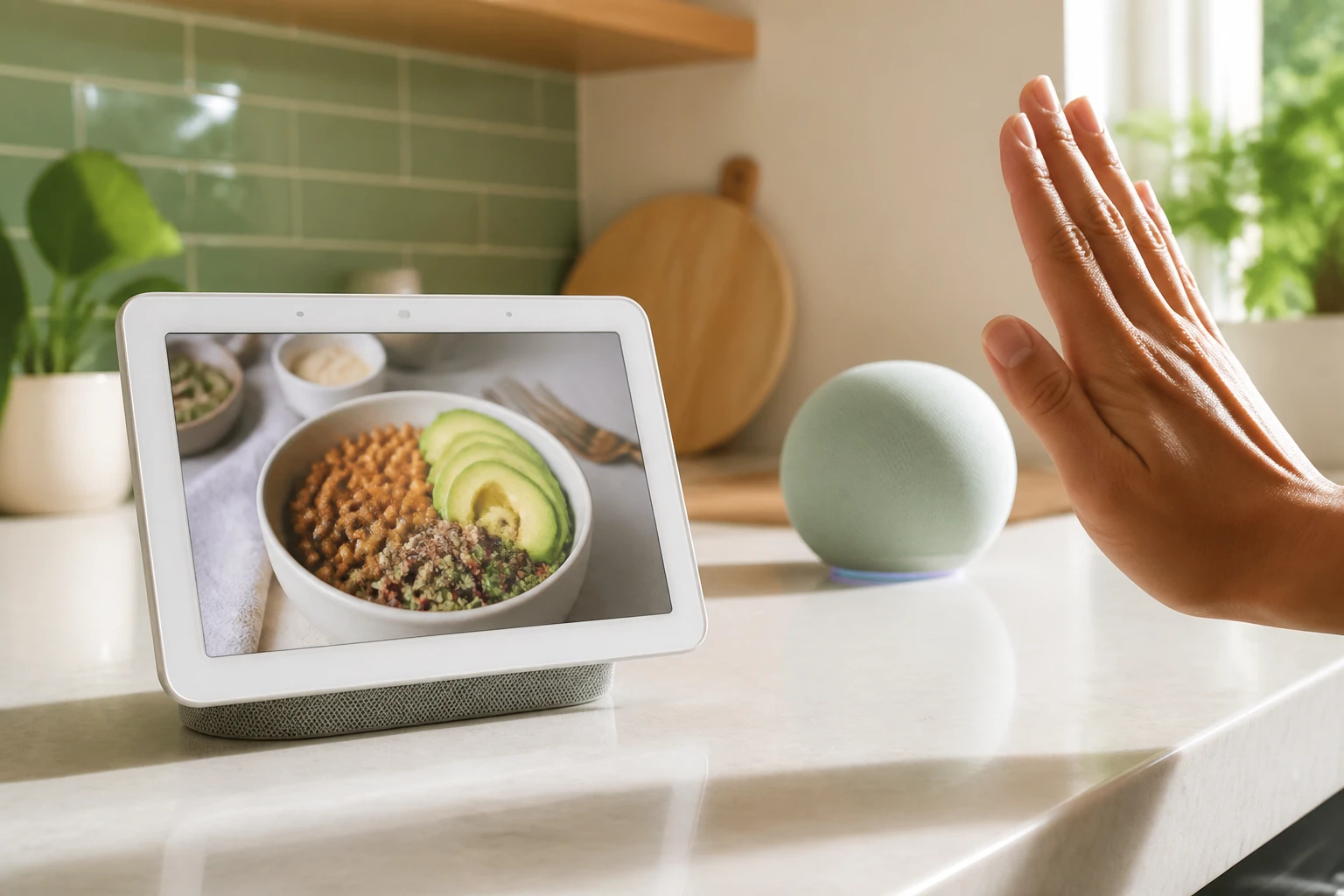
The Screen Turns Commands Into Confirmations
Voice alone works until you need proof. Change a Nest Thermostat setting and the Nest Hub shows the new temperature plus a slider you can drag. Ask for a recipe and the display holds the steps while your hands are busy. Run a Nest Wi-Fi speed test and numbers appear on screen instead of vanishing into a spoken sentence.
Gemini’s longer replies feel less tiring when you can glance instead of listen. Visual confirmation removes the second “did it work?” query that pure speakers invite. Joe Maring at Android Authority put the two devices head-to-head and found he consistently preferred the display to respond.
- Cast YouTube, podcasts or streaming video to the 7-inch panel at a desk or kitchen counter.
- Glance at time, weather, calendar and photo frames without speaking.
- Open manual controls the moment a voice command lands so small adjustments stay touch-based.
- Follow multi-step instructions (recipes, how-tos) while both hands stay free.
Those moments accumulate. After a week the speaker starts to feel half-finished for everyday household tasks.
Sensors the Speaker Never Got
The Nest Hub packs a Soli radar sensor, a temperature sensor and an ambient light sensor. None of those appear in the Home Speaker. Soli enables Quick Gestures: wave to pause media, swipe to dismiss a timer or snooze an alarm. It also powers presence detection and Sleep Sensing that tracks time asleep, breathing rate and room conditions without a wearable.
Soli radar detects motion and breathing through the air. Temperature sensing feeds room climate data. Ambient light adjusts the display and supports routines. The Home Speaker offers capacitive touch pads and a physical mic mute. That is the entire sensor story.
Sleep Sensing has shifted toward Fitbit Premium over the years, yet the hardware remains unique to the Hub at this price. Once you rely on gesture control or overnight tracking, giving it up for a sleeker orb feels like a step backward.
Cameras Make the Display Essential
Deep Nest camera owners feel the gap most. Ask either device what time a package arrived. The speaker can describe the event. The Nest Hub surfaces the clip with a timecode and plays it immediately. Vague questions return a scrollable list of related recordings you can tap.
A Nest Battery Doorbell paired with a Hub turns any room into a peephole and chime. Live video appears the moment someone rings. Audio announcements from the speaker cover only half that loop. After using the display for camera review, going back to voice-only feels incomplete.
Google markets camera history search and home briefs as Gemini strengths. Those features deliver more value when the answer includes video instead of a spoken summary. Households already invested in Nest Cams and doorbells effectively get a free upgrade by choosing the Hub at the same price.
Sound Quality Is the Speaker’s Real Edge
Credit where it is due. The Home Speaker’s 58 mm omnidirectional driver is louder and clearer than the Nest Hub’s 43.5 mm unit. It fills a room more evenly, blends into décor, and supports pairing two units with a Google TV Streamer for surround. Colors include Porcelain, Hazel, and US exclusives Jade and Berry. The compact orb does not shout “smart speaker.”
Google calls it the first audio device built for Gemini. The dedicated NPU and newer radios (Wi-Fi 6, Bluetooth 5.4, Thread border router, Matter hub) are forward-looking. Yet independent listening notes and owner comparisons already flag thinner bass than the dual-driver Nest Audio it effectively replaces. One site piece documents that the new unit delivers worse audio than the Nest Audio at the same launch price.
Better sound is real. For many buyers it is not enough to offset the missing screen and sensors.
Who Wins the $99 Choice
Buy the Home Speaker if you want pure music, multi-room audio groups, a discreet design, or a Matter/Thread hub and already own displays elsewhere. It is the right cheap Gemini entry for voice-and-music-only rooms.
Buy the Nest Hub if you run Nest cameras, a thermostat, or Wi-Fi gear, cook from recipes, value visual confirmation, or want sleep and gesture features. The same Gemini brain plus a screen produces a more complete controller. Google continues to ship new Gemini-powered features to both, so the Hub is not stranded software.
Rumors of a next-generation Home Display keep circulating. Until that ships with competitive pricing, the current Nest Hub remains the practical $99 pick. Google still stocks it, supports it, and lets it run the identical assistant. Age became almost irrelevant the day Gemini landed on the old hardware.
If the budget is exactly one hundred dollars and the home already leans Nest, the five-year-old display still wins.
Frequently Asked Questions
Does the Nest Hub (2nd gen) still receive Gemini for Home updates?
Yes. Google’s official compatibility list includes the Nest Hub (2nd gen) among devices that receive the complete Gemini for Home voice assistant, including natural conversation and multi-step requests, on the same footing as the 2026 Home Speaker.
What unique sensors does the Nest Hub have that the Home Speaker lacks?
The Nest Hub includes a Soli radar sensor for Motion Sense gestures and sleep tracking, plus a temperature sensor and ambient light sensor. The Home Speaker has only capacitive touch controls and a microphone mute switch.
Is the Google Home Speaker louder or better sounding than the Nest Hub?
Yes on both counts for most listeners. Its 58 mm full-range omnidirectional driver outperforms the Nest Hub’s 43.5 mm driver in volume, clarity and room fill, though some comparisons note thinner bass than the older Nest Audio’s dual-driver design.
Do both devices cost the same right now?
Both the Nest Hub (2nd gen) and the Google Home Speaker list at $99.99 on the Google Store. The Nest Hub occasionally appears on sale at third-party retailers; the Home Speaker launched at that price in June 2026.
Can the Home Speaker show Nest camera clips the way a Nest Hub can?
No. The speaker can answer voice questions about camera events and deliver audio summaries. Only the Nest Hub automatically surfaces the matching video clip with a timecode and lets you scrub related recordings on the touchscreen.