
NEWS
Microsoft Retired Teams Together Mode After the Room Illusion Failed
Microsoft retired Together Mode in June 2026, ending Jaron Lanier’s shared virtual room and leaving Gallery, branded backgrounds, and Copilot recaps in its place.

Microsoft finished retiring Together Mode from Teams in late June 2026, ending the shared virtual auditorium it launched in 2020. The View menu no longer offers the layout, and custom scenes and seat maps went with it.
Gallery view is now the primary multi-person meeting layout. The company said that change would free engineers to work on video quality, stability, and performance rather than a separate staging layer.
Together Mode Left the View Menu in June
Katarina Tranker, a product manager on the Teams team, told Microsoft 365 Insiders on May 14, 2026 that beginning June 30 the Together Mode experience would no longer be available. She was retiring Together mode in Microsoft Teams so the product could run fewer layout paths and put time into every meeting, not a special scene.
Message Center item MC1296478, published April 30, 2026, described a slightly wider window. Retirement would begin in early June 2026 across Worldwide, GCC, GCC High, and DoD tenants and was expected to complete by late June 2026, with dates subject to safe deployment. Targeted Release and Public Preview tenants could lose the toggle earlier.
The option disappeared from the View menu in Teams meetings. Standard scenes, custom scenes, and seat assignment were removed. Meeting creation, joining, chat, and calling were left in place. Tranker said the core need the mode was built to support, “seeing the people who matter in a meeting,” can now be fully met by modern Gallery view, which can display up to 49 participants at once.
We’re always working to make meetings easier to join, simpler to manage, and better for everyone, regardless of device or network conditions. As part of that ongoing effort, we’re retiring Together mode in Microsoft Teams.
Katarina Tranker, Teams product manager, Microsoft 365 Insider blog
Public argument over the cutoff was thin. Microsoft’s own reminder posts drew little discussion, and the loudest surviving note was a short lament in mid-June. By August 27, 2026, campus IT desks such as the University of New Brunswick’s service account were still walking people through pin and spotlight as Gallery replacements, weeks after the layout had already been pulled.
The Comedian Problem That Invented Together Mode
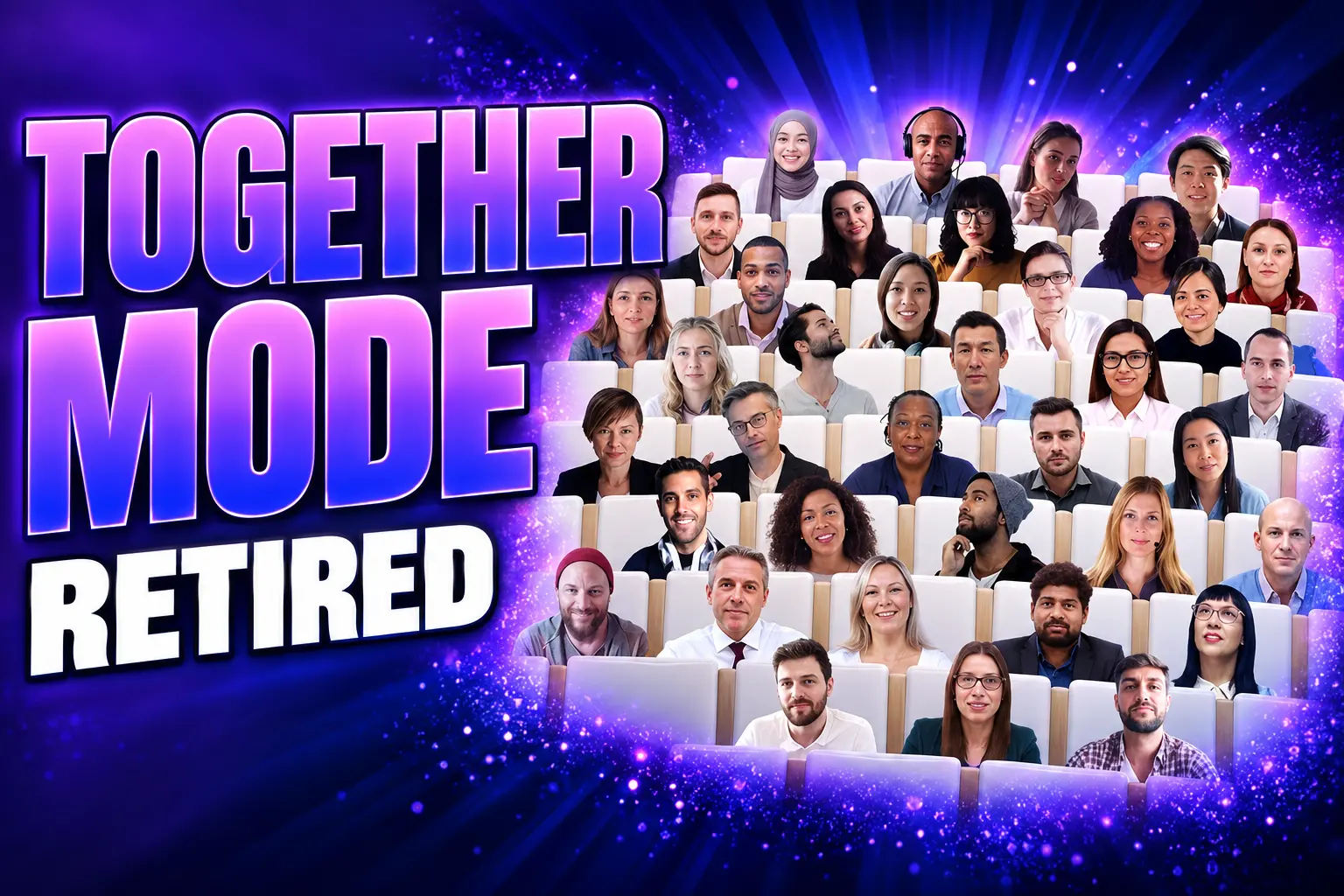
Microsoft announced Together Mode on July 8, 2020, with auditorium view rolling out then and general availability in August. A company blog that day promised features that would make virtual interactions “more natural, more engaging, and ultimately, more human,” and listed reduced meeting fatigue as the first benefit. AI already cut a person out of their real background for blur and fake scenery. Together Mode took those cutouts and sat everyone in one shared picture.
Jaron Lanier, the Microsoft Research scientist who guided the design, did not start from a product roadmap. He is also a musician, and he had to drop a gig in the house band Stay Human on Stephen Colbert’s late-night show when Covid-19 closed that kind of room. Colbert was trying to do comedy to a camera with no crowd. Lanier wanted a virtual audience so he could see people reacting in real time, then pulled in researchers, psychologists, and programmers. The TV idea became a Teams meeting view.
Lanier told reporters the layout made pandemic-era meetings “less miserable, less isolating, less fatiguing, less weird,” while admitting it was still weird in its own way. People sat in fixed seats, as if looking into a large mirror of the group, so a glance or a pointed finger had a place to land. High fives across the seam were a joke people actually tried. Microsoft’s own research, the company said, found remote workers felt less connected and more tired on video than in a physical room, and Together Mode was the proposed fix for brainstorms, roundtables, and classes.
Two weeks after the launch post, Satya Nadella tied the same trick to empty NBA arenas, so fans at home could sit in a shared scene and players could hear a crowd that was not in the building.
Excited to partner with the @NBA to reimagine the game experience with Microsoft Teams Together mode. So fans can feel like they’re together from the safety of their homes and players experience the energy of cheering fans in the arena. https://t.co/nIKmRXlasl
— Satya Nadella (@satyanadella) July 24, 2020
In April 2020, Microsoft said Teams had passed 75 million daily active users. Together Mode arrived that summer as a flagship answer to that spike. Scene packs later added conference rooms and a coffee shop, and presenters could lock a scene for everyone. The pitch was spatial and human. The 2026 teardown treats that pitch as extra machinery.
After Mesh, the 2D Auditorium Was Next
Together Mode was the 2D cousin of a larger bet that people would meet in a made-up place, not a grid of tiles. Microsoft Mesh tried the 3D version, with avatars on PCs and Meta Quest headsets and an Immersive space view inside ordinary Teams meetings. On December 1, 2025, Microsoft retired Mesh on the web, the Mesh PC and Quest apps, and that Immersive space (3D) view in Teams meetings. The mesh.cloud.microsoft site stopped supporting event scheduling and templates.
What remains is immersive events inside Teams, aimed at all-hands, training, showcases, and other staged gatherings, not the Tuesday staff meeting. Organizers schedule those from the Teams or Outlook calendar and join as avatars on PC, Mac, or Quest. Hosting needs a qualifying commercial Teams license plus Teams Premium. Attendees can come in on a standard Teams license. Older immersive spaces in Teams meetings had been capped at 16 people, a small-group tool, not a replacement for a 49-seat Together Mode classroom.
So Microsoft did not abandon every shared virtual room. It stopped paying for one in everyday calls, after already folding the standalone 3D product, and kept a licensed event format for organizations that still want a 3D hall. Together Mode sat in the middle: more theatrical than Gallery, far cheaper than Mesh, and now gone from both school and work tenants with no switch to turn it back on.
What Gallery View Does Not Replace
Gallery is a grid of live video tiles that grows and shrinks with the device and the network. Tranker’s note stressed adaptive tile counts that try to avoid overloading a machine and reducing choppiness. Pin and spotlight still exist, so a presenter can be held large. Dual displays still help when a room has them. None of that reconstructs a shared floor with assigned chairs.
Microsoft’s own meeting-view help file is blunt about scale. Large gallery becomes available once at least ten people have cameras on. When more than 49 participants join, the gallery adds pages rather than seating the extras in one picture. Together Mode’s trick was that the fourth seat in the bottom row stayed the fourth seat on every screen. Gallery cannot promise that map.
Classes, town halls, and branded sessions lose the classroom or auditorium illusion, the thing organizers used when they wanted a room instead of a stack of rectangles. Routine one-to-one calls never depended on it. The gap is the staged meeting that had a seating chart.
HOW TEAMS NOW STAGES A GROUP
| Layout | What it showed | 2026 status |
|---|---|---|
| Together Mode | AI cutouts in one scene, with fixed seats | Removed by late June 2026 |
| Gallery | Up to 49 video tiles, then extra pages | Primary meeting layout |
| Immersive events | 3D avatars in a Teams event space | Still offered; Premium required to host |
| Front Row | Remote faces along the bottom of a room display | Still shipping on Teams Rooms |
Front Row is built for hybrid conference rooms, putting remote people at eye level for those at the table. Speaker-focused layouts for Teams events, which Microsoft listed for August and September 2026, keep a presenter large beside shared content. Those tools polish a broadcast. They do not rebuild a coffee shop full of cutouts.
Seat Maps and Scene Studio Are Gone
The quiet loss for IT and event staff is not the default auditorium. It is the custom scene an organization built, and the seating chart an organizer dragged into place. Microsoft’s developer docs described Scene Studio in the Teams Developer Portal as the place to design those artifacts, with PNG images, seat IDs, and X and Y positions, plus reserved spots for the organizer and presenters. In a live meeting, those placeholders became real camera feeds.
MC1296478 named tenant admins, meeting organizers, and organizations using custom Together Mode scenes as the people who would feel it. It also closed the escape hatch. There is no admin policy or setting to retain or re-enable Together Mode. Helpdesks were told to point people at gallery, pin, or spotlight, and to ship approved background images if the company still wanted a logo on camera.
WHAT LEFT WITH TOGETHER MODE
- The View toggle: Together Mode no longer appears in the meeting View menu on Teams clients.
- Stock scenes: Auditorium, conference room, coffee shop, and the later scene packs are retired.
- Custom scenes: Branded rooms built in Scene Studio cannot be applied to a meeting.
- Seat assignment: Organizers cannot drag people into fixed chairs that everyone else also sees.
- Tenant override: No policy keeps the layout alive for one school, agency, or company.
Tranker pointed organizations that used scenes for brand presence toward organization-provided branded backgrounds, including frosted glass options. That is a per-person backdrop, not a shared set. A logo can sit behind one speaker. It cannot put the faculty in the same lecture hall.
Engineering Time Went to Recaps and Room Layouts
Microsoft’s stated trade is simple. One layout path is easier to test across Windows, Mac, web, and low-power devices, and Gallery already shows the faces that Together Mode was supposed to highlight. The work that used to maintain a second presentation layer is described as moving to video quality, stability, and performance. Adjacent shipping in 2026 matches that story more closely than a new shared-room toy would.
Teams added video recap as a way to catch up on a past meeting, pulling clips and on-screen moments next to the summary. Copilot meeting recaps, live interpretation, and facilitator-style notes sit on the same path: the product now spends AI on what was said, not on where a torso sits in a cartoon pew. Front Row and speaker-focused event layouts spend the remaining visual attention on hybrid rooms and produced broadcasts, where a physical table or a town hall already supplies the stage.
FROM AUDITORIUM LAUNCH TO THE JUNE CUTOFF
- July 8, 2020: Microsoft announces Together Mode, with auditorium view rolling out and general availability set for August.
- July 24, 2020: Satya Nadella posts that NBA fans and players will use Together Mode to share a virtual crowd.
- December 1, 2025: Microsoft retires Mesh apps, the Mesh website, and Immersive space (3D) in ordinary Teams meetings.
- April 30, 2026: Message Center item MC1296478 warns tenants that Together Mode will come out in June.
- May 14, 2026: Katarina Tranker publishes the Insider note that names June 30 as the date the experience ends.
- Late June 2026: The View toggle, scenes, custom scenes, and seat assignment are gone, with no switch to restore them.
Admins who still want a visual identity can upload up to 50 custom background images in PNG or JPEG through the Teams admin center, including transparent PNGs for frosted glass. That library is the supported remnant of branded Together Mode scenes. It lives on a person’s video tile, inside Gallery, which is the layout Microsoft chose to keep.
Frequently Asked Questions
When Did Microsoft Remove Together Mode From Teams?
Tranker’s May 14, 2026 note said the experience would no longer be available beginning June 30, 2026. Message Center item MC1296478, posted April 30, 2026, said rollout would start in early June 2026 and finish by late June 2026 for Worldwide, GCC, GCC High, and DoD, and that Targeted Release tenants could see it earlier. The Message Center item itself expired on July 30, 2026, after that window closed.
Can IT Admins Turn Together Mode Back On?
No. MC1296478 said there is no admin policy or setting to retain or re-enable Together Mode, and Microsoft told admins that no action was required beyond notifying users and updating training. Helpdesks were directed to gallery, pin, and spotlight, not to a hidden tenant switch.
How Many People Fit in Together Mode Compared With Gallery?
Microsoft’s education help said Together Mode worked for 5 to 49 people. Gallery’s documented large view needs at least ten cameras on, shows up to 49 tiles, and pages when more than 49 people join. Together Mode’s 5-person floor was the small-class case Gallery does not try to restage as a single shared scene.
Do Company Backgrounds Replace Custom Together Mode Scenes?
Only as a logo behind a person, not as a shared room. Admins can upload up to 50 images and, if they choose, show only those images. Org-defined backgrounds in meeting themes are limited to participants with Teams Premium licenses, and guest or anonymous users do not see those backgrounds in their settings. Frosted glass needs a transparent PNG.
Was Microsoft Mesh the Same Feature as Together Mode?
No. Together Mode was a 2D layout that cut webcam video into a shared picture. Mesh was a 3D product Microsoft retired on December 1, 2025, including the Mesh PC and Quest apps and the Immersive space (3D) view in regular Teams meetings. Immersive events in Teams still exist for licensed organizers who want an avatar event, which is a different tool with a different license bar.
Developer pages for custom scenes carried a deprecation banner dated June 30, 2026, then stopped being a living how-to. The seats those pages described are no longer in the product to assign.

The Court Revisits the Climate Nuisance Door It Left Open

ChatGPT Now Compiles Live Interfaces With GPT-6

A Tanker Attack Moves the War Into Qatar’s Waters

Personio Buys Circula to Own the DATEV Channel

Bluesky Files for .bsky and Enters the Registry Queue

Musk’s $914 Billion Lead Is a Public SpaceX Bet

Microsoft’s 96% Cyber Score Sits at 86.3% on the Board

Endgame Encore’s $86 Million Trial for Infinity Vision

Free Live Sports Streaming in 2026: What to Watch Without Cable

Andrew Garfield’s Spider-Man Films Are No Longer Free
-
 BUSINESS4 months ago
Musk’s $914 Billion Lead Is a Public SpaceX Bet
-
 NEWS2 months ago
Microsoft’s 96% Cyber Score Sits at 86.3% on the Board
-
 SPORTS3 months ago
Free Live Sports Streaming in 2026: What to Watch Without Cable
-
 ENTERTAINMENT3 months ago
Endgame Encore’s $86 Million Trial for Infinity Vision
-
 ENTERTAINMENT2 years ago
Andrew Garfield’s Spider-Man Films Are No Longer Free
-

 NEWS4 months ago
Singapore’s 3×3 and Surfing Debuts Miss the Medal Stand
-

 ENTERTAINMENT1 month ago
Sterling Point Holds No. 2 on Prime Video After 32 Days
-

 NEWS6 months ago
White Sands Footprints Put People in Ice Age New Mexico