
BOOX just delivered what thousands of readers and note-takers have been asking for. The Go 10.3 Gen 2 Lumi packs a front-lit E-Ink display, full Android 15 support, and a premium build into one impossibly thin device. But one bold design change may divide longtime fans right down the middle.
A Build That Turns Heads in Any Room
The moment you pick up the BOOX Go Gen 2 Lumi, you feel it. At just 4.8mm thick, it is one of the thinnest 10-inch tablets on the planet, barely thicker than a standard wooden pencil. It weighs only 364 grams, lighter than a canned soft drink, according to BOOX itself.
The front is matte glass, the chassis is aluminum, and the rear features a soft vegan leather-style finish that feels surprisingly warm and grippy in the hand. After over a month of daily use across multiple reviewers, the device still looks brand new, which says a lot about real-world durability.
The front is completely free from any branding, giving it a clean, premium look that honestly feels more elegant than many $600 tablets. The chassis also includes dual stereo speakers, a USB Type-C port, a microphone, a small LED charging indicator, and a wake/sleep button on top. It is a well-thought-out package, full stop.
A Display That Makes Text Look Printed on Paper
The 10.3-inch E Ink Carta 1200 panel runs at 2,480 x 1,860 pixels, landing at a precise 300 PPI. That number matters more than it sounds. Fine details in PDFs stay sharp, small fonts remain readable without strain, and text genuinely looks like it was laser-printed on a page.
The Lumi version adds the front light that users of the original Go 10.3 loudly requested. It is dual-tone, meaning you can shift between a cool white for daytime work and a soft amber glow for late-night reading. Minimum brightness drops to an impressively low 0.15 nits, which is gentle enough for reading in total darkness without disrupting sleep.
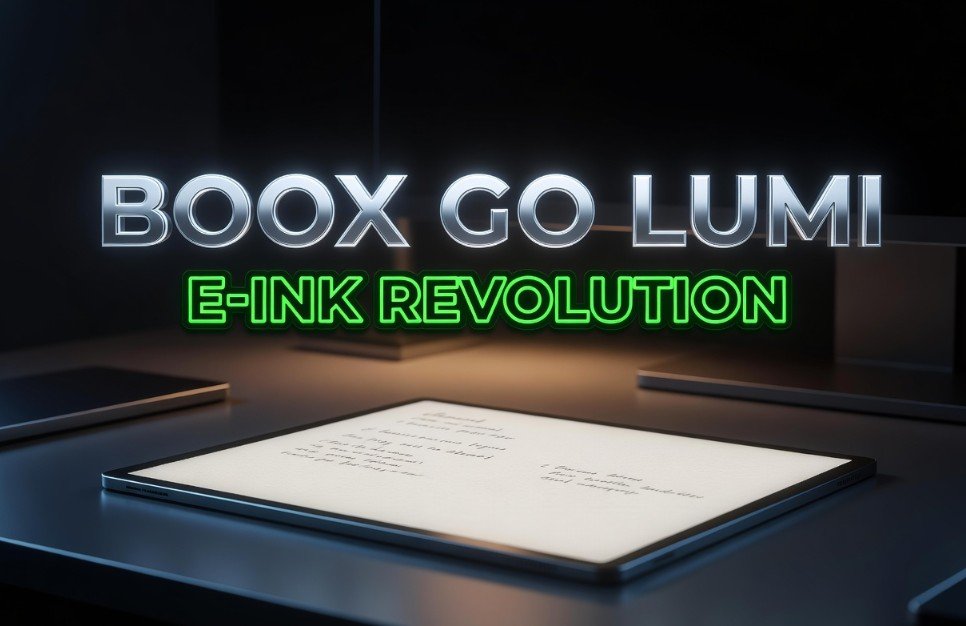
There are a couple of small caveats worth knowing. The front light is not perfectly even across the display, and a subtle temperature gradient is noticeable if you look for it. There is also a slight greenish tint at the coolest white setting, though in regular use most people simply will not notice it. Ghosting, which is a normal part of E Ink technology, shows up occasionally after page changes, though the tablet handles full-screen refreshes automatically to clear up artifacts.
Performance, Software, and the Android 15 Advantage
Inside, the Gen 2 Lumi runs on the Qualcomm Snapdragon 750G octa-core processor clocked at 2.07 GHz. Benchmark results tell an important story here.
| Device | Geekbench 6 Single-Core | Geekbench 6 Multi-Core |
|---|---|---|
| BOOX Go 10.3 Gen 2 Lumi | 727 | 1742 |
| BOOX Go 10.3 Gen 1 | 312 | 1162 |
Apps open quickly and navigation stays smooth for daily use. This is not a gaming machine, but for reading, annotating, note-taking, and even light productivity, the hardware delivers exactly what you need.
The biggest software upgrade is the move from Android 12 on the Gen 1 to Android 15 here. That means full Google Play Store access, bringing over two million apps to an E-Ink screen. You can install Kindle, Notion, Microsoft OneNote, and virtually any Android app you rely on. BOOX has also specifically optimized several apps including Kindle and Evernote to remove animations and deliver a smoother E Ink experience.
The built-in Notes app is genuinely one of the best handwriting environments available on any E-Ink device right now. It comes loaded with 7 pen and marker settings, 24 note-taking templates including sheet music and gridded paper, handwriting recognition, handwriting search, voice notes, AI-assisted features, and the ability to export notes as editable PDFs. The NeoReader app supports 26 file formats, covering everything from EPUB and PDF to MOBI, DOCX, CBR, and more.
The Stylus Situation: A Real Trade-Off Worth Knowing
This is where the conversation gets complicated. BOOX dropped the EMR stylus system from the Gen 1 and replaced it with the InkSense Plus, an active capacitive pen. This is the single most debated decision in the Gen 2’s entire existence.
Here is what you need to know upfront:
- The InkSense Plus supports 4,096 pressure levels and tilt recognition.
- Writing latency sits at around 25ms, an improvement over the Gen 1’s 30ms.
- The pen has a firmer, pointier tip that gives strokes a pencil-like feel on the matte screen.
- The pen battery lasts approximately 50 hours of use, roughly two weeks under heavy daily writing.
- It charges via USB-C, which adds a separate charging habit to your routine.
- The magnetic attachment is strong, but prolonged use has caused minor scratches on the device’s side finish for some users.
If you are a precision-heavy writer or an artist who needs third-party stylus compatibility, the switch from EMR will sting. But for the vast majority of readers, students, and everyday note-takers, the writing experience feels natural and responsive enough that the trade-off barely registers in daily use.
The good news is that the InkSense Plus stylus, which costs $45.99 separately, is bundled in the box along with a folio case. That is solid value at the $449.99 asking price for the Lumi. The standard version without front light is priced at $419.99.
Battery Life, Connectivity, and Who Should Buy It
A 3,700 mAh battery powers the device. With Wi-Fi and Bluetooth off, the tablet can last for weeks in standby. In active reading and writing sessions with the front light on at around 40 nits, you still get close to 10 hours of use before needing to charge. That is the kind of stamina that LCD tablets simply cannot touch.
Connectivity covers Wi-Fi, Bluetooth 5.1, a single microphone for voice-to-text, and dual stereo speakers that are genuinely loud and surprisingly clear for audiobooks and podcasts. There is no microSD card slot, which is a limitation worth noting. The included 64GB of storage should handle thousands of books and documents, but heavy users who carry large PDF libraries may feel the pinch over time.
The tablet runs a custom BOOX launcher over Android 15. Signing in with a Google account is optional, and the device does not push you toward it during setup. That design choice reflects BOOX’s focus on letting users define their own experience rather than locking them into one ecosystem.
So who is this for? In short, a lot of people.
- Students and researchers who annotate PDFs and need deep note-taking tools.
- Writers and journalists looking for a distraction-free drafting surface they can use anywhere.
- Digital nomads who need a lightweight, long-battery device that travels well.
- Night readers who want a warm, adjustable light that does not strain their eyes.
For people who only want a basic e-reader, a Kindle still costs far less. For those who want the absolute cleanest writing experience and nothing else, the reMarkable remains a contender, though it runs a closed OS, charges a subscription for cloud features, and its front-lit version costs $650. The BOOX Go Gen 2 Lumi at $449.99 undercuts that significantly while doing a lot more.
The BOOX Go 10.3 Gen 2 Lumi is not a perfect device. The stylus swap will frustrate power writers, the folio case feels ordinary, and ghosting is a real thing. But as a package, it delivers a thin, beautiful, Android-powered E-Ink tablet that reads, writes, and works like nothing else at this price. For anyone who has been waiting for the right E-Ink tablet to replace a notebook, a Kindle, and half a laptop all at once, the wait is finally over. What do you think about the switch from EMR to a capacitive stylus? Is that a dealbreaker for you, or a non-issue? Drop your thoughts in the comments below.