
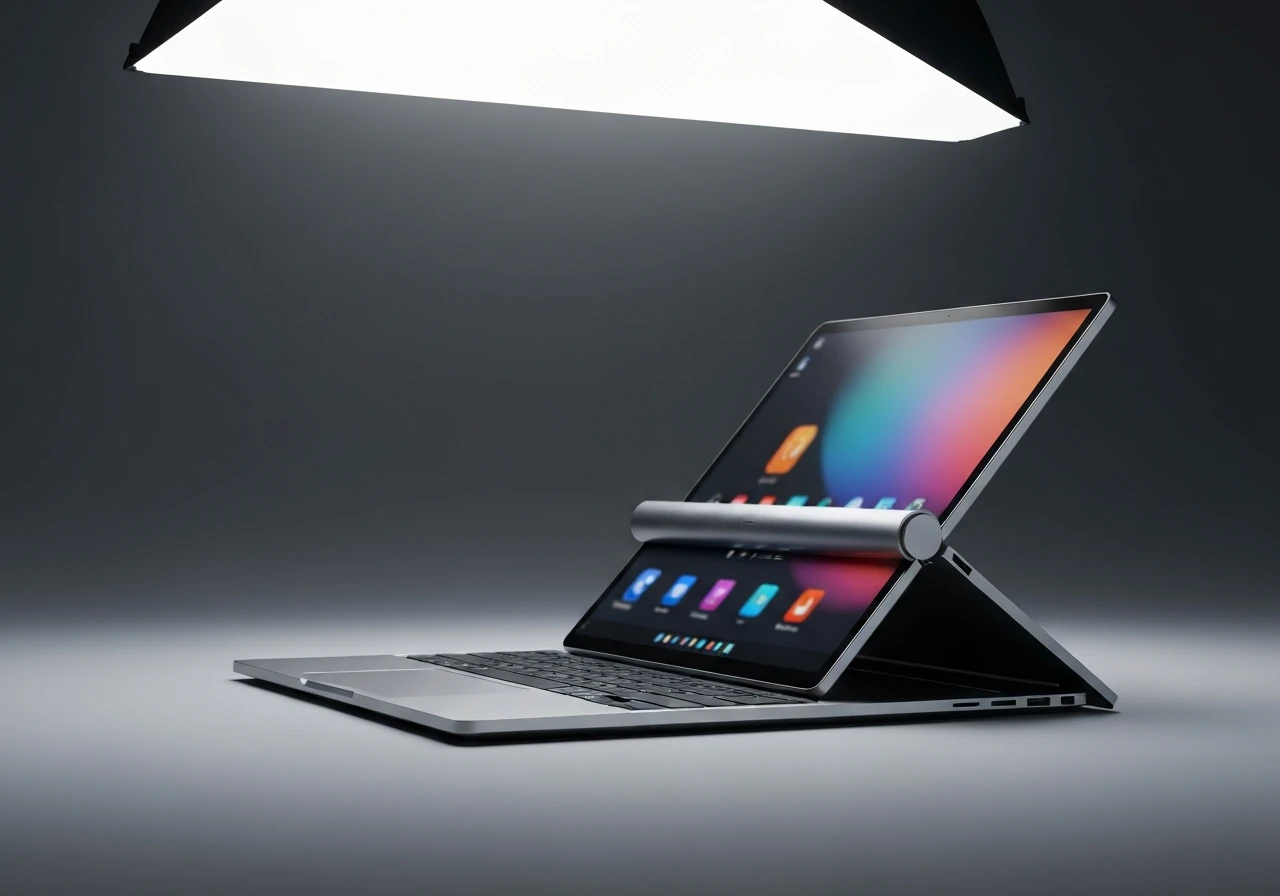
Rollable laptops are flexible-screen computers whose display unrolls from inside the chassis to add vertical space on demand, then retracts when the job is done. The format turns one continuous OLED (organic light-emitting diode, a panel type where every pixel makes its own light) into something close to a built-in second monitor, with no hinge crease, no separate cable, and no extra screen weighing down the bag.
The hardware finally caught up in April 2025, when Samsung Display began mass producing the first rollable OLED panel made for laptops. The harder problem now lives in software, which has to make the new space feel like more than a taller stretch of wallpaper.
What Sets a Rollable Laptop Apart From a Foldable
Most laptops carry a screen that never changes size. You open the lid, you get a fixed rectangle, and if you want more room you plug in a monitor. A rollable laptop ignores that limit by hiding part of its display inside the body and feeding it out when you ask for it.
The closest relative is the foldable laptop, yet the two answer the same question in opposite ways. A foldable bends one panel over a hinge, which leaves a faint crease down the middle and a thicker closed shape. A rollable keeps the panel flat as a single continuous sheet, winding the unused part around an internal spindle so nothing folds and nothing creases.
| Attribute | Traditional clamshell | Foldable | Rollable |
|---|---|---|---|
| How you get more space | Plug in a monitor | Unfold a second half | Unroll hidden screen |
| Visible crease | None | Soft crease at the fold | None |
| Display pieces | One rigid panel | One panel, two halves | One continuous sheet |
| Main moving part | Lid hinge | Central hinge | Motorized spindle |
That single-piece design is the selling point. There is no bezel gap splitting your work in two, and the extra area behaves like part of the same screen rather than a bolted-on panel.
How Rollable OLED and Motorized Spindles Work Together
Two systems have to cooperate for the trick to work: a display that can bend thousands of times without cracking, and a motor quiet and precise enough to move it on cue.
The Flexible OLED Stack
A flexible OLED swaps the rigid glass of a normal screen for thin plastic or composite layers, so the whole panel can roll without shattering. The circuits that switch each pixel are built as thin-film transistors (TFTs, the tiny switches printed across the panel) on those bendable layers, letting the stack flex as a unit. Because every pixel lights itself, there is no rigid backlight in the way, which is what makes rolling physically possible.
Rollable OLED is tuned for repeated rolling rather than a one-time bend. Layer thickness, the tightness of the bend radius, and protective coatings are all set to resist the micro-cracks and faint lines that would otherwise show up after thousands of cycles. That self-lighting trait also saves power, since dark content on the extended strip simply leaves pixels switched off. Motorola’s flexible-display phone concept that wraps around the wrist leans on the same bendable-panel chemistry, scaled down to a bracelet.
Samsung Display’s rollable OLED mass-production announcement lays out what the first panel can do.
- 14 inches rolled, 16.7 inches unrolled on the first shipping panel
- Nearly 50% more vertical space when the screen extends, as 2000 by 1600 pixels grows to 2000 by 2350
- 30% less power draw than a standard panel, thanks to the Eco2 OLED layer
- 120Hz refresh at up to 400 nits of brightness
The Motorized Spindle and Its Safety Logic
The stored portion of the panel wraps around a small spindle, much like a window blind. When you press a button or trigger a shortcut, a compact electric motor turns the spindle and feeds the screen upward into view, while guide rails and tensioners keep it flat and square as it travels.
Sensors read the panel’s position so the motor halts at set points, usually a standard mode and an extended mode. If the system detects unusual resistance, say a finger or an object in the way, safety logic can stop or reverse the motor to protect the sheet. The shift from a 14-inch view to a taller layout takes a few seconds and a single press.
Adaptive Software Grows the Interface on Cue
Hardware moves the pixels; software decides what to do with them. As the spindle turns, the laptop’s firmware and operating system track the panel’s changing height and resolution in real time. The moment the screen finishes unrolling, the system updates the active display dimensions and tells the window manager that new space has appeared.
That signal can trigger an automatic reshuffle. Toolbars, timelines, and side panels slide into the fresh region while the main content stays centered, so the layout grows instead of stretching everything out of shape. Apps written to read dynamic screen-size APIs (application programming interfaces, the hooks that let software respond to system changes) can flip between compact and extended arrangements on their own.
Done well, the interface seems to expand with the panel, sparing you the window-juggling that a plugged-in monitor usually demands. Done poorly, the extra strip just shows more of the same wallpaper, which is why the software layer, not the motor, is where these machines win or lose.
Power, Heat, and the Stored Screen
Lighting up more pixels costs energy and throws off heat, so extending the display carries a price the engineering has to absorb. In extended mode, power-management firmware works alongside the adaptive software to trim brightness and throttle background tasks, keeping battery life sensible when the full canvas is lit.
The rolled-up segment creates its own thermal puzzle. Vent placement, heat pipes, and airflow paths are routed so the spindle housing does not bake during long sessions, whether the screen is fully out or tucked away. The aim is plain: the body should stay comfortable to hold in either state.
Who Is Building Rollable Laptops
For now this is a short list led by Lenovo and a handful of panel suppliers. The first model to ship grows from a 14-inch view to a 16.7-inch one and carries a price that signals its flagship status. A second wave is already in the pipeline for 2026, including a gaming machine that expands sideways rather than up.
| Device | Status | How the screen moves | Panel maker |
|---|---|---|---|
| ThinkBook Plus G6 Rollable | Shipping, $3,299 | 14 to 16.7 inches, vertical | Samsung Display |
| Legion Pro Rollable | Due 2026 | 21:9 ultrawide, 21.5 to 24 inches, horizontal | TCL CSOT |
| Vertical-sliding concept | Shown at CES | 13.3 to 15.9 inches, vertical | Not disclosed |
The panel maker has been blunt about why it is chasing the format.
The rollable display will bring innovation to IT devices, especially in terms of laptop mobility and user experience.
That was Youngseok Kim, vice president and head of IT sales at the South Korean panel maker, in its launch statement. The pitch is mobility: one machine that travels small and works big.
Why the Second Monitor Is the Target
Strip away the spectacle and the rollable laptop aims squarely at the dual-monitor habit. People who hop between desks, cafes, and flights still want two screens worth of room for long documents, code, and sprawling spreadsheets. A panel that grows on command offers most of that benefit without a bag full of cables.
The extra vertical space is the practical win. Reading a contract, scanning a spreadsheet, or following a thread of code all get easier when you can see more rows at once and scroll less. Because the surface is one piece, the secondary panels sit right beside the main work with no seam between them.
The trade-offs are just as real, and worth weighing before the hype carries you off:
- Price: the first shipping model lists at $3,299, several times the cost of a capable traditional laptop.
- Durability: a bendable sheet is more vulnerable to dust, debris, and pressure than rigid glass.
- Repairability: a failed rolling module usually means swapping the whole assembly at an authorized center, not a quick hinge fix.
- App support: the payoff only shows up in software written to rearrange itself, and plenty of programs still just stretch.
Where the format goes next depends on the panels. Cheaper, sturdier rollable OLED would push it down from flagship pricing, the same path that carried micro LED display panels and other exotic screens from concept halls toward shelves. Demand for laptop OLED is climbing either way, as the global OLED panel market outlook tracks the shift across phones, tablets, and notebooks.
If panel makers such as LG Display and TCL CSOT drive rollable OLED into mainstream price tiers over the next two years, the second monitor starts to look optional for a lot of mobile workers. If yields stay tight and prices hover near flagship levels, the rollable laptop stays a showpiece that proves the idea long before most people can buy one.
Frequently Asked Questions
Are rollable laptops more fragile than regular laptops?
Yes, somewhat. The flexible OLED sheet and its rolling mechanism are tested for thousands of cycles, but they stay more delicate than a rigid glass panel. Avoid twisting the screen, pressing hard on it, or letting grit collect around the roller, since debris near the spindle is a common failure point.
Can a rollable laptop be repaired if the rolling mechanism fails?
It can, but not cheaply. Because the motor, spindle, and display are integrated, a fault often means replacing the entire rolling module or display assembly rather than a single part, and the work usually has to go through an authorized service center.
Do rollable laptops work with external monitors and docks?
Yes. These machines keep standard ports such as USB-C (universal serial bus type-C, the reversible connector) and Thunderbolt, so they can still drive external monitors and docking stations. The rollable screen adds a built-in option rather than replacing a multi-monitor desk setup.
How much does a rollable laptop cost right now?
The first model on sale, Lenovo’s ThinkBook Plus G6 Rollable, starts at $3,299. That is several times the price of a strong conventional laptop, reflecting both the new panel and the motorized hardware behind it.
Do rollable laptops run the same apps as regular laptops?
They do. Rollable laptops run the same operating systems and applications as comparable traditional models. The only difference is that some apps can use the changing screen size to rearrange panels or show more information when the display extends, while the rest simply run in the larger area.