
Google’s Pixel 10 lineup earns some of the best reviews in Android, and it still ships with a list of Google Pixel 10 problems that refuse to stay fixed. From rainbow screen static to eSIM failures that can leave a US handset with no way to dial out, several bugs Google said it patched in 2025 are still hitting owners in May 2026, according to its own support forums.
The hardware is not the issue. The Pixel 10 Pro pairs a full HD 120Hz display with a triple-camera system that most rivals can’t match. What keeps biting owners is software that gets fixed, gets re-broken, and in one case has never been fixed at all.
The Patch Treadmill Behind the Pixel 10’s Best-Android Reputation
Start with the pattern, because it explains everything that follows. A bug appears at or near launch. Google ships a patch. Months later the same complaint reappears on the Pixel Phone help forums, often with a thread full of owners saying the official fix never reached their device.
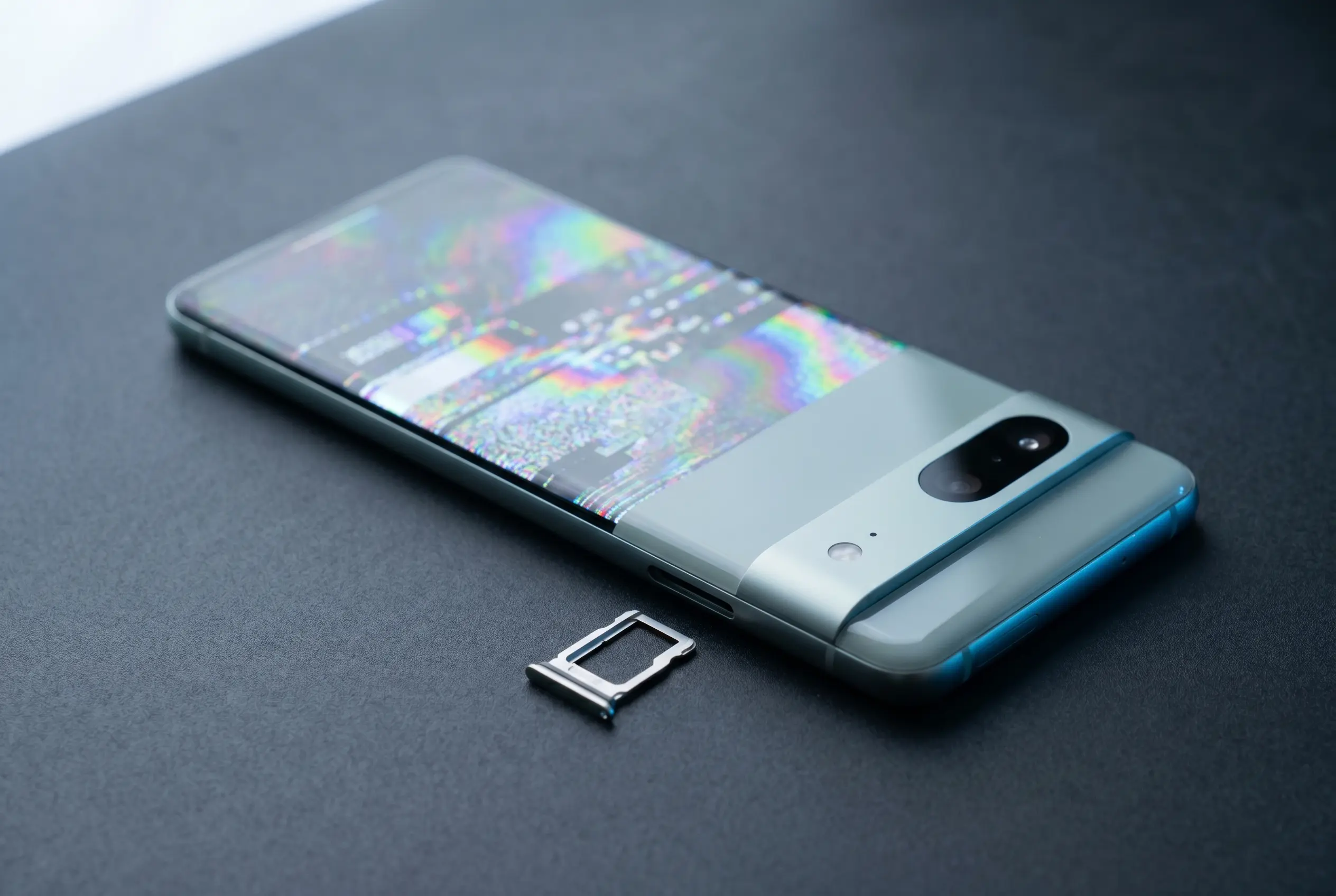
Screen artifacting is the clearest example. Shortly after the phone went on sale, Pixel 10 owners began reporting “colorful snow,” sometimes a brief flurry of rainbow static, sometimes a full-screen blizzard. The phones kept working and the glitch passed, which pointed away from the graphics processing unit (GPU, the chip that draws the image) and toward a buggy display driver. Google issued a patch that reportedly closed the issue in September 2025. Owners are still posting fresh sightings in May 2026.
The mid-October 2025 update tells the other half of the story. That release triggered widespread app crashes, with programs freezing or shutting down for no clear reason. Google did largely fix that one, proving the company can move fast when a problem is loud enough. The bugs that linger are the quieter, harder-to-reproduce kind.
- Four models share the codebase: Pixel 10, 10 Pro, 10 Pro XL, and 10 Pro Fold.
- September 2025 is when Google said the screen-static fix shipped, eight months before owners stopped reporting it.
- Zero fixes have closed the eSIM failures, the single issue Google has acknowledged but not patched.
eSIM Failures Are the Bug Google Still Hasn’t Closed
One problem stands apart because Google has confirmed it and still has no fix. An embedded SIM (eSIM, the digital version of the chip that connects a phone to a carrier) on a Pixel 10 can simply stop working, and the symptoms vary in a way that makes the bug hard to pin down.
Why It Outranks Every Other Glitch
Some owners say their phone only loses signal or refuses to switch carriers. Others report the eSIM going dark every few days, forcing a restart to bring service back until it fails again. At the worst end, users describe handsets that are effectively bricked, with the SIM Manager app hanging or crashing so they can’t add, switch, or erase a profile even after a reboot, a network reset, or a safe-mode boot.
Google has acknowledged the fault across multiple threads on its public issue-tracking system without shipping a cure. Developers have floated a mix of hardware faults and software memory errors as the cause, but the underlying trigger remains unsolved. Anyone on a physical SIM is untouched, which narrows the problem to the eSIM stack itself.
The No-Slot Gamble Makes It Worse
Here is where a hardware decision turns a software bug into a crisis. US Pixel 10 models ship without a physical SIM tray at all, so an eSIM failure leaves those owners with no fallback and no way to get back online until the software recovers. A buyer in a market that still offers a SIM slot can drop in a plastic card and keep working. A US buyer cannot.
That gap matters most for anyone who relies on the phone for two-factor codes, payments, or travel. The Pixel hardware is excellent, yet the company that builds the best Android camera also bet that its eSIM stack would be reliable enough to remove the safety net. For an unlucky slice of owners, that bet has not paid off.
Android Auto and Google Wallet Stumble on Everyday Tasks
Two of the features people use without thinking have their own Pixel 10 quirks. Android Auto, which mirrors phone apps onto a car’s dashboard, has frozen on the splash-screen logo for some owners while playing audio with no visible interface for others. Google pushed an update that helped most users, but holdouts on the support forums say it never took.
Google Wallet has its own oddly specific failure. Early in the phone’s life, some owners could not add cards at all, whether a debit card, a transit pass, or an insurance card, even though Near Field Communication (NFC, the tap-to-pay radio) worked fine for existing cards. The recurring complaints break down like this:
- Add-card refusals where Wallet rejects any new card, sometimes cleared temporarily by turning off Wi-Fi and wiping the app cache.
- Vanishing cards where saved cards disappear entirely, a harsher version of the same bug that also hits a handful of Pixel 9 units.
- Self-healing windows where the issue resolves on its own, then returns days later with no pattern.
Some Android Auto reports have a more mundane root: a car that was never compatible to begin with. That caveat is worth a check on Google’s Android Auto support pages before anyone blames the phone.
When a Google Update Becomes the Bug
The most unsettling category is the one where the fix is the failure. A firmware patch arrives, and instead of solving something it knocks out core hardware. Owners have lost Wi-Fi and Bluetooth after an update. Others lost their camera and LED flashlight, with the phone convinced both were already switched on so it refused to start either.
An update early in 2026 set off the first wave, and an April firmware release brought a fresh round of the same complaints. Some owners cleared it with a later patch. Others could only escape by disabling Google Play Services and the Fitbit app, and a few gave up and downgraded to an older phone entirely.
Google’s most recent release, the May 2026 update, did fix a Pixel display glitch and slow wireless charging. It also shipped a bootloader change that increments the anti-rollback version, blocking the phones from installing older Android 16 builds so they can’t fall back to a vulnerable bootloader. That same change carries a warning: flash the wrong way and the device can drop into an unbootable state, which is why Google’s guidance, posted alongside the Android security bulletin, tells advanced users to flash the bootloader to the inactive slot only after booting the new build once.
What that May release did not do was fix the eSIM failures. The acknowledged, confirmed, most serious bug went another month without a patch.
Five Problems, Five Different Repair Stories
The frustration is not that the Pixel 10 has bugs. Every flagship does. It is that the five biggest issues sit at five different points on the road to a fix, and the worst one has barely moved.
| Problem | First seen | Status in May 2026 |
|---|---|---|
| App crashes | Oct 2025 update | Largely fixed |
| Screen artifacting | Launch | Patch claimed Sept 2025, still reported |
| Android Auto drops | Launch | Mostly fixed, holdouts remain |
| Google Wallet cards | Launch | Intermittent, self-resolving |
| eSIM failures | Early 2026 | Acknowledged, no fix |
Read down the right-hand column and the pattern is plain. The loud, easy-to-reproduce bugs got squashed. The intermittent ones got patched on paper. The hardware-adjacent one is still open.
What Pixel 10 Owners Can Do Right Now
None of this makes the Pixel 10 a bad buy, and most owners will never see a single one of these glitches. For anyone who does, a few steps cut down the pain while Google works through its backlog.
- Keep a physical SIM as backup if your market still offers a tray. It sidesteps the eSIM bug entirely and gives you a fallback that the digital stack can’t take away.
- Restart the phone first when an eSIM, Wallet, or Android Auto problem appears. Several of these faults clear on a reboot and only return days later.
- For Wallet add-card failures, turn off Wi-Fi and clear the Google Wallet cache, then try again. It is a temporary fix, not a cure, but it works often enough to be worth trying.
- Be cautious with every firmware update. Read the support threads for a day or two before installing, since the patches themselves have knocked out Wi-Fi, cameras, and flashlights.
- Confirm your car actually supports Android Auto before you blame the phone, and report a stubborn bug on the Pixel help forum so it lands in front of Google’s engineers.
The same Pixel team is already building the next phone. Reporting from Riverdale Standard notes the Pixel 11’s jump to Samsung’s M16 OLED panel, and the hardware roadmap keeps moving even as the Pixel 10’s software backlog stays open. For buyers weighing the lineup against rivals, our look at the Pixel 10’s toughest market test in India covers how the phone stacks up where Apple and Samsung dominate.
Frequently Asked Questions
Are the Google Pixel 10 problems serious enough to avoid the phone?
For most buyers, no. The Pixel 10 Pro remains one of the best Android phones available, and the majority of owners never hit these bugs. The risk is concentrated in the eSIM failure, which matters most to US buyers whose models lack a physical SIM tray.
Has Google fixed the Pixel 10 eSIM bug?
No. As of the May 2026 update, Google has acknowledged the eSIM connectivity failures on Pixel 9 and Pixel 10 devices but has not shipped a fix. Affected owners are restarting their phones every few days as a stopgap.
Why does the Pixel 10 screen show colorful snow?
The rainbow static is believed to come from a buggy display driver rather than the GPU, since affected phones keep working and the glitch passes. Google claimed a fix in September 2025, but owners still report occasional flurries on the support forums in 2026.
Does the US Pixel 10 have a physical SIM slot?
No. US Pixel 10 models ship eSIM-only with no physical tray, which means an eSIM failure leaves those owners without a quick fallback. Buyers in markets that still include a SIM slot can drop in a physical card if the eSIM stops working.
Can a Pixel 10 update break the phone?
It can. Firmware updates in early and April 2026 knocked out Wi-Fi, Bluetooth, cameras, and flashlights for some owners. The May 2026 update also added a bootloader anti-rollback change that can leave a device unbootable if it is flashed incorrectly.
How do I fix the Google Wallet add-card error on a Pixel 10?
Turn off Wi-Fi, clear the Google Wallet cache, and try adding the card again. The fix is temporary and the bug often returns, but it is the most reliable workaround owners have reported so far.