
Microsoft launched Windows 11 with promises of a fresh start. Yet many longtime users now feel disappointed by choices that prioritize company goals over everyday needs. Features meant to innovate have instead sparked widespread frustration and privacy worries.
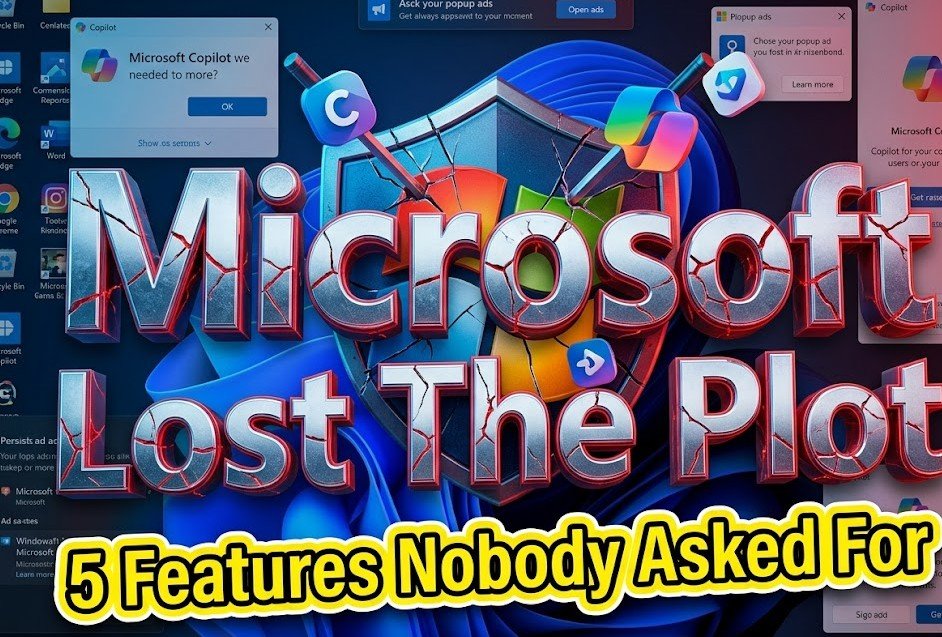
These additions often feel forced. They disrupt simple tasks and raise questions about trust. As Microsoft faces calls to rethink its direction in 2026, here is a closer look at five features that continue to draw criticism.
Windows Recall Turns Screens Into Surveillance
Windows Recall captures snapshots of your desktop every few seconds. The AI then indexes text and images so you can search your past activity later. Microsoft described it as a photographic memory for your PC.
This tool stores a detailed timeline of everything visible on screen. It includes private messages, emails, bank details, and even temporary content from apps. Critics quickly labeled it an OS level keylogger with visual recording.
The feature launched on Copilot Plus PCs after multiple delays due to security concerns. Microsoft made it opt in following backlash and added protections like encryption and secure enclaves. Still, many users worry about the local database it creates and potential risks if devices are compromised.1
Privacy advocates point out the always on nature conflicts with expectations of personal computing. Even with safeguards, the idea of constant screenshotting feels invasive to people who use their PCs for sensitive work or personal matters.
Gamers and professionals have expressed particular concern. They fear performance hits or accidental capture of confidential information during daily use.
Copilot Key Forces AI Into Hardware
New Windows keyboards include a dedicated Copilot key. It replaces the traditional right click menu or control key on many devices. Pressing it opens the AI assistant instantly.
Users report broken muscle memory for common shortcuts. Simple actions like copying text or accessing context menus now require workarounds or third party tools. Microsoft positioned this as the future of interaction.
Yet most people did not request deeper AI integration in their keyboard layout. The push comes as the company scales back some Copilot features in core apps after admitting the aggressive rollout went too far.1
In 2026, reports show Microsoft rethinking how heavily it promotes AI across Windows. Features once embedded in Notepad, Paint, and File Explorer face cuts or redesigns. This shift follows user feedback that the tools often add steps rather than save time.
Casual users especially resent the change. They want reliable basics without constant prompts to engage with generative AI for every task.
Start Menu Recommendations Act Like Billboards
The Start menu now features a prominent Recommended section. It suggests apps and files but frequently promotes third party software and Microsoft services. New Windows installations even pin shortcuts for popular apps automatically.
This turns a core navigation tool into advertising space. Users who paid for the operating system find their pinned area cluttered with promotions for TikTok, Spotify, or other services they may not want.
Many describe it as turning their desktop into a store front. The recommendations change often and prioritize partner content over personal files or frequently used programs.
Disabling the section helps somewhat but requires digging into settings. Microsoft has not offered a simple global toggle to remove all promotional elements despite repeated complaints.
This approach contrasts with earlier Windows versions that kept the interface clean and user focused. The change contributes to the sense that the OS serves corporate interests first.
Microsoft Account Becomes Hard To Avoid
Setting up Windows 11 often requires an internet connection and Microsoft account login. Local offline accounts have become difficult to create without workarounds that Microsoft later blocks in updates.
The company pushes cloud services like OneDrive and Microsoft 365 during setup and ongoing use. This collects more user data and encourages subscriptions for full functionality.
Forcing online accounts limits choice for people who prefer privacy or work offline. It also complicates setups on shared or restricted devices.
Even after initial setup, prompts continue to nudge users toward signing in. Updates have made bypassing these requirements more challenging over time.
Many professionals and privacy conscious users see this as unnecessary lock in. They want the freedom to use Windows without tying their entire computing experience to one company’s ecosystem.
Default Browser Choice Gets Overridden
Windows 11 frequently ignores user selected default browsers. Searches from the taskbar or Start menu open in Edge with Bing results even when Chrome or Firefox is set as default.
Protocol handling and file associations sometimes reset after updates. Users need extra tools to maintain their preferred browser experience across the system.
This behavior frustrates people who have made clear choices about their software. It feels like Microsoft prioritizes its own products over user control.
Edge has improved in recent years. Yet the repeated overrides create ongoing irritation and extra work for millions who prefer alternatives.
The pattern fits a broader trend of reduced customization options in Windows 11 compared to previous versions.
These five features highlight deeper tensions in how Microsoft develops Windows today. Users want stability, respect for their choices, and genuine improvements rather than tools that serve data collection or revenue goals.
Microsoft executives have acknowledged issues with performance, reliability, and user experience in early 2026. The company promises focused efforts to rebuild trust this year by addressing long standing pain points.
Hundreds of millions of PCs still run Windows 10 despite the push to upgrade. This resistance shows many people vote with their actions when they feel the new system does not meet their needs.
Windows remains the dominant desktop platform for a reason. It powers work, creativity, and play for people worldwide. When the OS respects users as the priority, it thrives.
The coming months will reveal whether Microsoft truly listens. Small changes like better toggles, less aggressive promotions, and true opt ins could make a big difference.
What Windows 11 feature frustrates you the most right now? Share your experiences in the comments below. Your feedback helps highlight what matters to everyday users.