
Switch from a Galaxy phone to a Google Pixel and the first thing you notice is what is gone. After a year on the Pixel 9 Pro XL, the software that once felt clean now feels thin in the places that matter for getting real work done, and several of Samsung’s One UI tools have no equal on stock Android. Floating windows, the side panel, and the steady update cadence are the parts a Galaxy owner misses most.
Google’s pitch is fast Android updates and tight integration with its own services, and that pitch is real. The catch is that the same Pixel that gets Android first also ships the rough edges first, while the multitasking depth and hardware polish that define a daily driver still sit on the Samsung side of the fence.
One UI’s Floating Windows Still Outclass Stock Android
Stock Android has supported split screen for years, and Android 16 added better window management on foldables and tablets. It still trails One UI for anyone who runs more than two apps at once. Samsung’s version is the reason a mid-range Galaxy can feel more capable than a flagship Pixel when the work piles up.
Pop-Up View and the Collapsible Bubble
The headline tool is pop-up view, which floats an app in a movable, resizable window over whatever is running full screen behind it. One UI 7 then tidied up the clutter: minimized pop-up apps collapse into a single bubble on the edge of the screen, and one tap reopens the whole set. Unlike picture-in-picture (PiP, the small floating window video apps use), Samsung’s version works with a wide range of apps, not just media players.
- Open any app in a floating window, then drag and resize it anywhere on screen
- Minimize several windows into one collapsible bubble instead of a row of icons
- Reopen every minimized app at once with a single action
- Use the same gestures on entry and mid-range Galaxy models, not just flagships
The Edge Panel Workflow
The other tool I keep reaching for is the Edge Panel, a swipe-in strip that holds favorite apps and tools at the side of the screen. It launches what I need without sending me back to the home screen or the recents view, which on a Pixel adds two or three steps to a task I do dozens of times a day.
None of this is buried in a premium tier. Samsung documents the full multi window and app pairs system on Galaxy phones, including saved app pairs that open two apps in split screen with one tap. On the Pixel, I rebuild that layout by hand every time.
Why Galaxy Phones Feel Steadier Day to Day
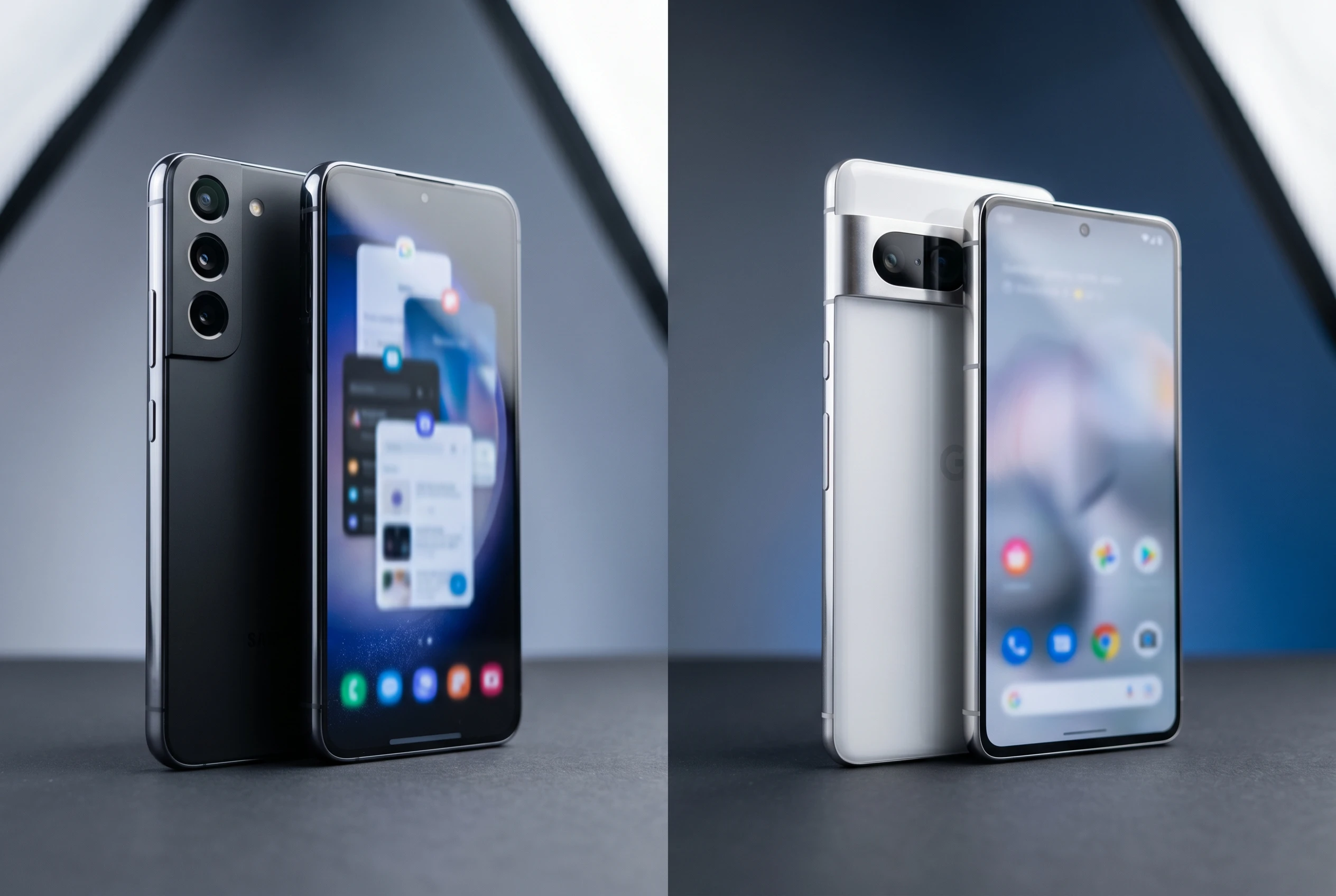
For years the knock on Samsung was slow software. That story has flipped. Google still pushes betas and quarterly Pixel Drops fastest, but the recent Android 15 and Android 16 releases left my Pixel glitchy in ways a Galaxy rarely is, with lock screen stutters, camera hiccups, and the return of overheating and weak battery life after updates that were supposed to fix them.
The Pixel ships Android first, which means it ships the bugs first too. Google patches most of the problems eventually, but the first impression has already soured, and it often feels like one step forward and two steps back.
Samsung has moved the other way. One UI 8.5 shipped pre-installed on the Galaxy S26 series in March and reached older flagships through a staged rollout that Samsung began on May 6, 2026. Updates still arrive later than Google’s, but the prominent bugs that follow them are far fewer. I trust a Galaxy flagship to behave on day one in a way I no longer trust my Pixel to.
The Hardware Gaps Pixel Owners Keep Hitting
Software is only half of it. Samsung’s hardware execution has been the steadier bet over the past few cycles, and connectivity is where the difference shows up first.
Signal and Wi-Fi Drops
Google said the Pixel 9 series carries an improved modem, and many owners report solid reception. My experience has been rougher. On the same network, the Pixel 9 Pro XL dropped more calls and showed weaker bars than my old Galaxy Z Fold 5 and a mid-range Xiaomi 15T, and it struggles in areas with thin 4G or 5G coverage.
Wi-Fi has been just as erratic. The Pixel hops to a slower access point more often than the other two phones, and the behavior survived several updates, which points to a hardware-level cause rather than a buggy patch. Google publishes a long guide to fixing Pixel mobile connectivity issues, which tells you something about how common the complaints are.
The Small Frictions Add Up
Connectivity is not the whole list. On voice calls the Pixel’s earpiece runs quiet, pushing me to the loudspeaker in noisy rooms.
Stack that with the scattered reports of uneven OLED (organic light-emitting diode) panels, loose USB ports, and finicky wireless charging, and the pattern reads like thinner component quality on a phone I paid premium money for. Each issue is minor on its own. Together they shape a year of low-grade annoyance.
- Weaker cellular reception and more dropped calls than rival phones on the same network
- Wi-Fi that favors slower access points and will not hold the faster one
- A low earpiece volume that forces speakerphone in noisy spaces
- Reports of patchy displays, loose ports, and unreliable wireless charging
The Pixel ships Android first, which means it ships the bugs first too.
One UI vs Pixel: Where Each Phone Wins
Neither side sweeps the board. Google leads on update speed, AI features, and a stock interface that some people simply prefer. Samsung leads on the things that decide whether a phone feels like a tool or a toy after the honeymoon ends.
| Area | Samsung One UI | Google Pixel |
|---|---|---|
| Multitasking | Pop-up view, app pairs, Edge Panel | Split screen, app bubbles arriving in Android 17 |
| Update speed | Later, staged rollouts | First to Android and quarterly Drops |
| Post-update stability | Few prominent bugs | More glitches on recent releases |
| Connectivity | Consistent signal and Wi-Fi | Mixed modem and Wi-Fi reports |
| AI and ecosystem | Galaxy AI, Bixby revamp | Deep Google service integration |
Android 17’s App Bubbles Borrow Samsung’s Playbook
Google is not ignoring the gap. Android 17 introduces app bubbles, a floating-window system that lands stock Android much closer to what One UI has offered for years. The feature is live in the Android 17 Beta 3 build on enrolled Pixel devices.
Here is how it works once you turn it on.
- Long-press an app icon and choose the Bubbles option to open it in a floating window
- Minimize that window into a bubble that parks on the edge of the screen
- Stack several apps as bubbles, up to five apps at a time, with one visible at a time
- Drag the minimized bubble around the screen, much like Samsung’s collapsed pop-up stack
The resemblance to pop-up view is hard to miss, and that is the point. Samsung documents its mature multitasking on the official One UI feature pages, and Google is now shipping its own take on the same idea. The stable Android 17 release is expected to reach Pixels in June 2026, with the broader feature set landing around the next Pixel launch.
What the Pixel 11 Has To Prove
The Pixel 11 is the test of whether Google can pair its software ambition with hardware I can lean on. App bubbles will help the multitasking case, but they do nothing for a quiet earpiece or a modem that fades in weak-signal pockets, and those are the failures that wear on you.
There are signs the hardware side is getting attention. Reporting on the Pixel 11 adopting Samsung’s M16 OLED panel points to a brighter, more efficient display, and the current Pixel 10 lineup squaring off against Samsung and Apple shows Google is willing to spend where it counts.
If the Pixel 11 ships with steady reception, a stronger earpiece, and the new app bubbles working smoothly out of the box, I move back without a second thought. If it lands with the same connectivity gaps under a flashier shell, the One UI tools I miss will keep pulling me toward a Galaxy.
Frequently Asked Questions
What One UI features does the Pixel lack?
The Pixel lacks Samsung’s pop-up view for floating any app in a movable window, the collapsible bubble that groups minimized windows, the Edge Panel quick-launch strip, and saved app pairs that open two apps in split screen with one tap. Stock Android offers basic split screen but none of these tools.
Is One UI more stable than stock Android in 2026?
In recent cycles, yes. Samsung’s One UI 8.5 has rolled out with few prominent bugs, while the Android 15 and Android 16 releases on Pixel introduced lock screen, camera, overheating, and battery issues that Google patched over time. Samsung updates arrive later but tend to land cleaner.
Does the Pixel 9 Pro XL have signal problems?
Reception is mixed. Google says the Pixel 9 series uses an improved modem and many owners report no trouble, but some users see more dropped calls and weaker performance in low-coverage areas than rival phones on the same network. Wi-Fi can also favor a slower access point.
Is Android 17 adding floating windows to Pixel phones?
Yes. Android 17 introduces app bubbles, which open any app in a floating window that minimizes into an edge bubble and supports up to five apps at once. The feature is in Android 17 Beta 3 now, with the stable release expected to reach Pixels in June 2026.
When does Android 17 reach Pixel devices?
The stable Android 17 release is expected to roll out to eligible Pixel phones in June 2026. The Pixel 11 is anticipated to launch later in the year with Android 17 pre-installed and the full feature set enabled.
Is the Edge Panel available on cheaper Galaxy phones?
Yes. The Edge Panel and pop-up multitasking are not limited to Galaxy flagships. Samsung offers them on entry and mid-range Galaxy models too, which is part of why a budget Galaxy can feel more flexible than a premium Pixel for multitasking.