
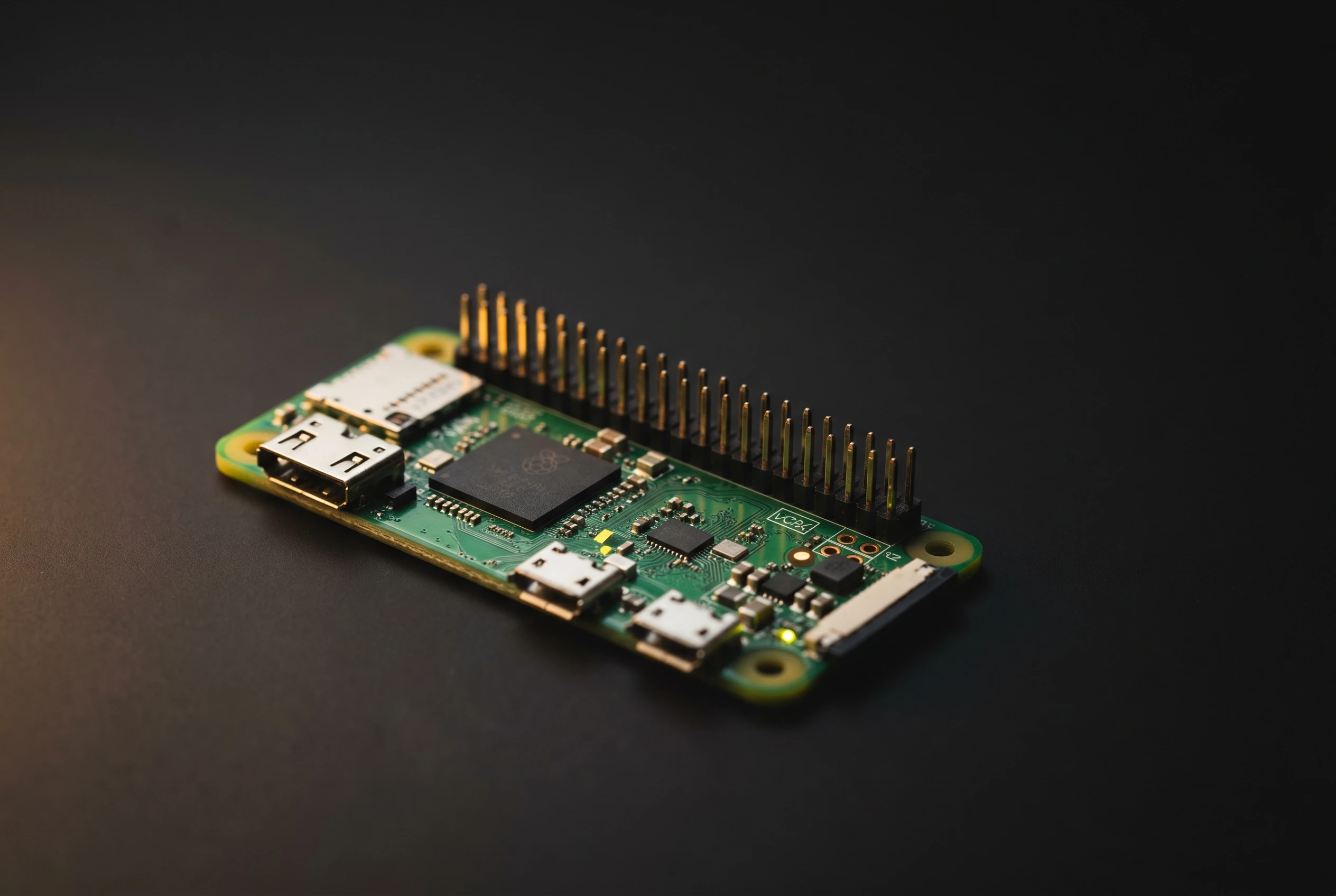
A Raspberry Pi Zero 2 W running Pi-hole and Unbound can keep your household’s DNS (Domain Name System) queries off Google’s, Cloudflare’s, and your ISP’s servers for around $15 to $20 in hardware and about an hour of setup. The DNS resolver your network uses has full visibility into every domain you visit; this setup moves that resolver into your own hardware.
Pi-hole, a network-wide DNS sinkhole, filters ads and tracker domains before any device connects. Unbound, a validating recursive resolver maintained by NLnet Labs, handles the remaining queries by walking the DNS hierarchy from root servers down to authoritative nameservers, with no public resolver involved. DNSSEC (Domain Name System Security Extensions) validation comes built into Unbound’s configuration.
The Lookup Your Router Sends to Google
Every DNS lookup carries three pieces of information the resolver can see: the domain name you queried, the time of the request, and the IP address that made it. Every device on your network that resolves a hostname contributes to that stream: phones, laptops, smart TVs, thermostats. Multiply it across a typical home and the resolver holds a detailed, timestamped record of your household’s internet activity.
According to Google’s DNS privacy documentation, temporary logs, which include your IP address and your query, are deleted within 24 to 48 hours, and ISP-level and city-level location data is retained longer for service improvement. Google also states it doesn’t correlate DNS log data with your Google account information. The data still passes through Google’s infrastructure, and the policy reflects what Google chooses to collect today.
Switching to Cloudflare’s 1.1.1.1 shifts that trust to Cloudflare, which commits to no durable logging backed by independent KPMG audits. Switching to your ISP’s resolver puts the data with your ISP, which in the United States has had legal permission to sell customer browsing data since a 2017 Congressional act. None of these changes removes a third party; they change which third party holds the data.
Encrypting DNS queries with DoH (DNS-over-HTTPS) or DoT (DNS-over-TLS) stops network observers from reading those queries in transit, but the resolver itself still sees and processes every request. Encryption protects the channel, not the endpoint.
Encryption protects the channel, not the endpoint.
How Pi-hole and Unbound Divide the Work
Pi-hole Blocks Before You Connect
Pi-hole installs on the Raspberry Pi and becomes the DNS server for your entire home network. You configure it by pointing your router’s DNS setting to the Pi’s static IP address. When any device asks for a domain, that request hits Pi-hole first.
Pi-hole checks the domain against its blocklists, maintained by the community and covering advertising networks, analytics trackers, and known malware hosts. If a match is found, Pi-hole returns 0.0.0.0, a dead-end address, and the device never makes the connection. The filtering runs at the network layer, so it applies to every device without per-device software installation. A smart TV running its own ad client, an IoT thermostat, a phone with in-app ad calls: all get the same treatment the moment they connect to your Wi-Fi.
Unbound Resolves Without a Third Party
Non-blocked queries get forwarded to Unbound, which runs on the same Raspberry Pi at 127.0.0.1, port 5335. Unbound doesn’t forward those queries further. As the Pi-hole project’s Unbound configuration guide describes, it walks the DNS hierarchy directly: contacting root servers, getting referred to the appropriate TLD (top-level domain) servers, and then querying the authoritative nameservers for the specific domain. Every answer comes from the actual DNS infrastructure, no middleman required.
Results are cached locally. The first lookup for a domain Unbound hasn’t seen can take hundreds of milliseconds, compared to single-digit milliseconds from a warm public resolver with global caches. Subsequent visits pull quickly from Unbound’s local store. NLnet Labs, which maintains Unbound, describes the resolver as designed to be fast and lean while incorporating modern open standards, and query name minimisation is among the privacy features built in by default.
| Pi-hole | Unbound | |
|---|---|---|
| Role | DNS sinkhole, ad and tracker filter | Validating recursive resolver, local cache |
| DNSSEC | Disabled (defers to Unbound) | Enabled (cryptographic validation) |
| Filters | Ad, tracker, and malware domains via blocklists | No filtering; resolves all non-blocked queries |
| Query direction | Home network devices in; Unbound via loopback out | Root servers, TLD servers, authoritative nameservers |
| Cached lookup | Delegates to Unbound | 1 to 2 milliseconds |
Poisoned Records and the DNSSEC Fix
DNSSEC adds cryptographic signing to DNS records. When Unbound validates those signatures, it confirms that what it received from an authoritative server wasn’t altered in transit. If a signature fails, Unbound rejects the response and the connection fails cleanly rather than landing on a malicious clone.
DNS cache poisoning is the attack DNSSEC directly defends against. An attacker who intercepts communication between a resolver and an authoritative server can insert a forged response, rerouting traffic to a malicious clone without any visible warning to the user. Security researcher Dan Kaminsky’s demonstration of practical cache poisoning at scale is credited as the primary factor behind DNSSEC deployment, showing that standard DNS had no mechanism to verify whether a response came from the legitimate server. The stakes of DNS-level domain attacks are illustrated by a 2016 operation against a Brazilian bank: attackers who seized all 36 of the institution’s domains for about five hours routed roughly 5 million customers to convincing copies of its online portals, ATMs, and point-of-sale systems. That attack involved registrar compromise rather than cache poisoning, a different vector, but it shows what domain-level failures can produce at scale.
Google’s 8.8.8.8 also offers DNSSEC validation, so this check isn’t exclusive to self-hosted setups. Security researchers citing ICANN data put the share of internet users currently protected by DNSSEC validation at less than 30% globally, meaning most households using standard ISP-provided DNS receive no cryptographic guarantee on the records they get.
In the Pi-hole and Unbound configuration, Pi-hole’s own DNSSEC setting is deliberately disabled: that job belongs to Unbound, listening at port 5335. Running both simultaneously creates validation conflicts.
The Setup Has Real Limits
A few tradeoffs don’t get adequate space in most how-to guides:
- Single point of failure. The Raspberry Pi is now your home’s only DNS resolver. A power outage, SD card failure, or physical disruption takes your entire network offline until the Pi recovers, or until you restore a public DNS address in your router settings.
- Cold-start latency. Unbound walks the full DNS tree the first time it encounters any domain. That initial lookup takes hundreds of milliseconds. Repeat visits are near-instant from cache, but the delay on first contact is noticeable, especially on pages that load dozens of third-party hostnames.
- ISP visibility persists. DNS privacy closes one window. Your ISP can still observe the IP addresses your devices connect to, which maps back to domains with reasonable accuracy. A VPN addresses this but sits outside this setup’s scope.
- LAN queries stay unencrypted. Queries from your devices to Pi-hole travel unencrypted across your local network. Unbound’s outbound queries to root and authoritative servers are also plain DNS by default. Encrypting client-to-resolver traffic requires additional configuration on both ends.
The Pi-hole project’s current major release, Pi-hole v6, rewrote the FTL (Faster Than Light) engine and shipped a modernized web interface, addressing several longstanding usability complaints. Software updates and blocklist refreshes still need periodic manual attention to stay current.
A Quiet Drain on Ad-Tech’s Data Pipeline
Pi-hole started in 2014 as a project by Jacob Salmela, conceived as an open-source alternative to a hardware ad-blocker called AdTrap. It now runs on ARM single-board computers, x86 home servers, and inside Docker containers, and it has drawn substantial contributor communities to its blocklists and codebase.
The category has grown around it. AdGuard Home ships native DNS-over-HTTPS support without additional configuration. NextDNS offers a cloud-hosted filter with a free tier capped at 300,000 monthly queries. Of the three, Pi-hole’s community-maintained blocklist ecosystem remains the largest, and that depth is what has kept the project competitive as alternatives have added features.
Browser extensions protect only what passes through a single application. Pi-hole works at the DNS layer, reaching every device that connects through your router regardless of operating system, browser, or installed app. A smart TV running its own ad client, an Android phone’s in-app tracker calls, firmware telemetry from IoT sensors: all resolve through DNS and hit the same blocklist filter.
The advertising industry has partially adapted. YouTube and Twitch moved to first-party ad delivery, serving ads from the same domain as the content, which sidesteps DNS-based blocking entirely. Third-party analytics calls, tracker pixels, and telemetry from installed apps still resolve through separate hostnames and land on blocklists. Users in the Pi-hole community describe the setup’s current primary value as controlling the steady, low-level data exhaust that modern software produces, with ad-blocking as a secondary benefit.
Frequently Asked Questions
Does Pi-hole with Unbound Hide My Browsing from My ISP?
Partially. The setup stops DNS queries from reaching your ISP’s or Google’s resolvers, removing that layer of domain-level visibility. Your ISP can still observe the IP addresses your devices connect to, and those addresses map to domains with reasonable accuracy. A VPN running alongside this setup addresses that gap.
Do I Need a Raspberry Pi, or Will Other Hardware Work?
No specific hardware is required. Pi-hole installs on most Linux distributions, including Debian, Ubuntu, and Alpine Linux. The Raspberry Pi Zero 2 W, with its quad-core ARM Cortex-A53 processor and 512MB of RAM, is a common choice for its low power draw and price under $20, but any always-on Linux device with a static IP address on your network will work.
Will Pi-hole Break Any Websites or Apps?
Some sites detect DNS-based filtering and refuse to load; others break silently. Pi-hole’s web dashboard shows every blocked domain by device, so identifying and whitelisting a false positive takes a few clicks. Streaming services that serve ads from first-party domains can’t be filtered at the DNS layer without also blocking the content itself.
What Happens If the Raspberry Pi Goes Offline?
Your home network loses DNS resolution and, effectively, internet access until the Pi recovers or you restore a public resolver in your router. Most routers support a secondary DNS address; setting a backup public resolver there means devices switch over automatically when the Pi is unreachable.
Does This Setup Protect Mobile Devices Without Installing Apps?
Yes, for any device connected to your home Wi-Fi. The filtering runs at the network level, so phones, tablets, smart TVs, and game consoles all get Pi-hole’s filtering with no app, profile, or VPN configuration required. Devices on cellular data bypass it entirely.
Does Unbound’s DNSSEC Validation Catch All DNS Attacks?
No. DNSSEC confirms that DNS records weren’t modified between authoritative servers and your resolver, but it doesn’t cover registrar-level compromise, BGP rerouting, or DNS hijacking above the resolver. It also provides no encryption of DNS queries in transit. The protection is specific: cryptographic verification of record authenticity, which defends against cache poisoning attacks.
Pi-hole v6, the project’s current major release, updated the core FTL engine and shipped a new web dashboard. The official setup guide for pairing it with Unbound is maintained at docs.pi-hole.net alongside each release.