
FreeBSD, long revered as a powerful and stable operating system for servers and network infrastructure, is quietly reshaping its role on the desktop and development landscape. A key reason behind this shift is the Linuxulator, a compatibility layer that lets FreeBSD run Linux binaries without virtual machines or emulation, delivering performance that feels native. This could change how developers and power users think about FreeBSD in 2026 and beyond.
In this article, we explore how Linuxulator works, why it matters today, what it means for the future of FreeBSD, and where the limitations still lie. Early adopters describe the experience as transformative, particularly for software not otherwise available on FreeBSD.
What Is the Linuxulator and Why It Matters
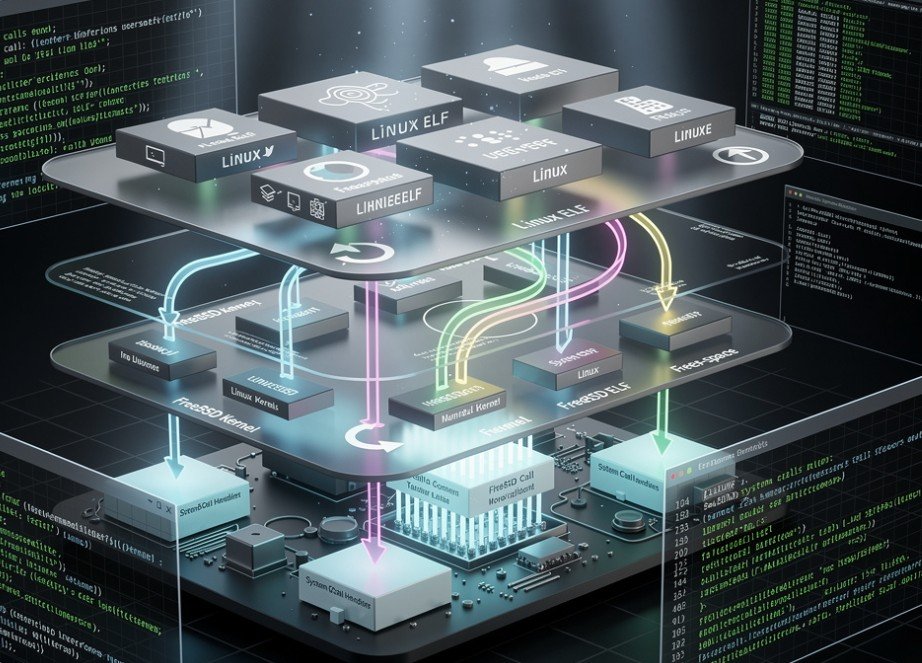
At its core, Linuxulator is a kernel‑level compatibility layer built into FreeBSD that translates Linux system calls into equivalent FreeBSD operations. This means a Linux binary can run on FreeBSD without a virtual machine, hypervisor, or traditional emulation.
The technology traces back decades, improving with every FreeBSD release. Its evolution has made it possible to execute many modern Linux applications nearly as if they were native FreeBSD programs. Unlike containers or full virtualization, Linuxulator operates within the FreeBSD kernel, giving Linux binaries access to system resources with minimal overhead.
Here’s how it works:
-
A Linux binary makes system calls as usual.
-
The FreeBSD kernel recognizes the Linux binary format and intercepts these calls.
-
It translates Linux system calls to FreeBSD native calls in real time.
-
The binary runs directly on the hardware, maximizing performance.
Because of this design, performance often matches or even exceeds native Linux execution, something many FreeBSD users have discovered over the years.
Real‑World Use and Desktop Development
In past years, the Linuxulator was limited to older Linux binaries and basic software. However, recent testing by developers shows it now handles complex applications with real productivity value. While many major apps remain available as native FreeBSD ports, Linuxulator extends FreeBSD’s reach into uncharted application territory.
One prominent example comes from a 2026 blog post by developer Hayzam Sherif. He documented how Linuxulator lets him run modern Linux workflows — such as remote development and graphical tools — smoothly on FreeBSD. Despite initial skepticism, he found performance stable and responsiveness high, with only a few minor compatibility quirks.
This kind of capability matters because many popular tools either lack official FreeBSD support or require significant effort to port. Developers who rely on Linux‑only tools now see FreeBSD as a viable platform without needing virtualization or dual‑boot setups.
How to Enable and Use Linux Compatibility
Although Linuxulator is included in FreeBSD, it is not enabled by default. Activating it and preparing the environment involves a few technical steps, but is straightforward for anyone comfortable with a Unix shell.
Once enabled, FreeBSD mounts necessary Linux‑like filesystems under /compat/linux and allows Linux binaries to behave almost like native processes.
For advanced setups, users can install a full Linux userland in a chroot environment using tools like debootstrap, giving even deeper compatibility for complex applications.
What Works Well and What Still Challenges
Linuxulator covers many general‑purpose Linux binaries quite effectively, but not all system features are supported. Some Linux‑specific technologies — like cgroups or certain namespaces — remain incomplete on FreeBSD, limiting compatibility for heavily containerized or system‑intensive programs.
Examples of successful use cases include:
-
Standard command‑line tools and utilities.
-
Various development tools and editors.
-
Productivity apps that do not heavily depend on unique Linux kernel features.
However, highly specialized workloads or deeply integrated applications might still need true Linux environments or containers for full compatibility. This caveat keeps traditional Linux or virtualization relevant for certain use cases.
The Future of FreeBSD in a Mixed Ecosystem
The resurgence of interest in Linuxulator reflects a broader trend in the open source world. Users are increasingly seeking flexible environments where software availability and performance align with personal or organizational needs. FreeBSD’s compatibility layer plays a unique role in this multi‑platform environment, allowing developers and sysadmins to mix and match technologies without heavy overhead.
The fact that FreeBSD can run Linux binaries without the typical performance penalty of emulation or virtualization opens new possibilities for server infrastructure, developer laptops, and mixed environments that require tools from both Unix traditions.
Yet challenges remain. The compatibility layer must continue evolving to support modern Linux kernel features, shared libraries, and APIs. The FreeBSD developer community and user base will need to collaborate on testing, feedback, and development to ensure the Linuxulator remains robust as Linux applications themselves evolve.
Why This Matters to Users and Developers
For long‑time FreeBSD enthusiasts, the Linuxulator represents a bridge rather than a replacement of FreeBSD’s Unix foundations. It enables a wider software ecosystem while preserving FreeBSD’s core strengths in stability, security, and performance.
For developers, it unlocks:
-
Access to tools that are only shipped as Linux binaries.
-
New workflows on FreeBSD without dual‑booting or virtualization.
-
Opportunities to unify development environments across platforms.
For enterprises, it creates a fresh case for considering FreeBSD in mixed infrastructure environments, especially where performance and reliability are critical.
Final Thoughts
FreeBSD has long stood as a pillar of robust Unix‑like computing. The Linuxulator adds a new chapter in its evolution, bringing near‑native Linux binary compatibility to the forefront and challenging assumptions about what FreeBSD can do out of the box.
This development does not signal an end to native FreeBSD software, but rather a practical convergence of ecosystems that benefits users, developers, and businesses alike.
What do you think about running Linux applications on FreeBSD without virtualization? Share your thoughts and experiences below if you’ve tried it yourself or are planning to explore it soon.